

An npm supply chain attack strikes when maintainer credentials leak, a registry package is backdoored, or external dependencies execute unwanted payloads during build or runtime. As of November 2026, npm security features like npm v12 install script controls and OIDC trusted publishing are live to restrict malicious packages. Meanwhile, browser script injection demands client-side isolation because registry defences cannot monitor scripts loaded from external delivery networks. Here is how each defence route works and which tools protect your projects.
How do you stop an npm supply chain attack during installation?
Package managers run code before an application starts serving traffic. In an npm supply chain attack, attackers target publish credentials, repository maintainers, or build scripts to deploy hostile packages directly into your environment. You can isolate local and continuous integration builds by enforcing frozen lockfiles through npm ci. The command requires an existing package-lock.json file, removes existing node_modules directories, and exits with an error whenever the lockfile conflicts with package.json. Because it never writes changes back to disk, installation manifests remain frozen. The limitation is straightforward: a lockfile only protects you if the compromised release was not already committed.
Lifecycle scripts represent an immediate execution risk during dependency fetching. The npm configuration provides the ignore-scripts setting to stop preinstall and postinstall routines specified in dependency manifests. In npm v12, released as generally available on July 8, 2026 according to the GitHub changelog, script execution defaults to off via allowScripts. Developers must explicitly approve scripts using npm approve-scripts with the allow-scripts-pending flag. While blocking install scripts stops attacks that drop payloads at install time, it offers zero protection against malware executed when an application imports a module.
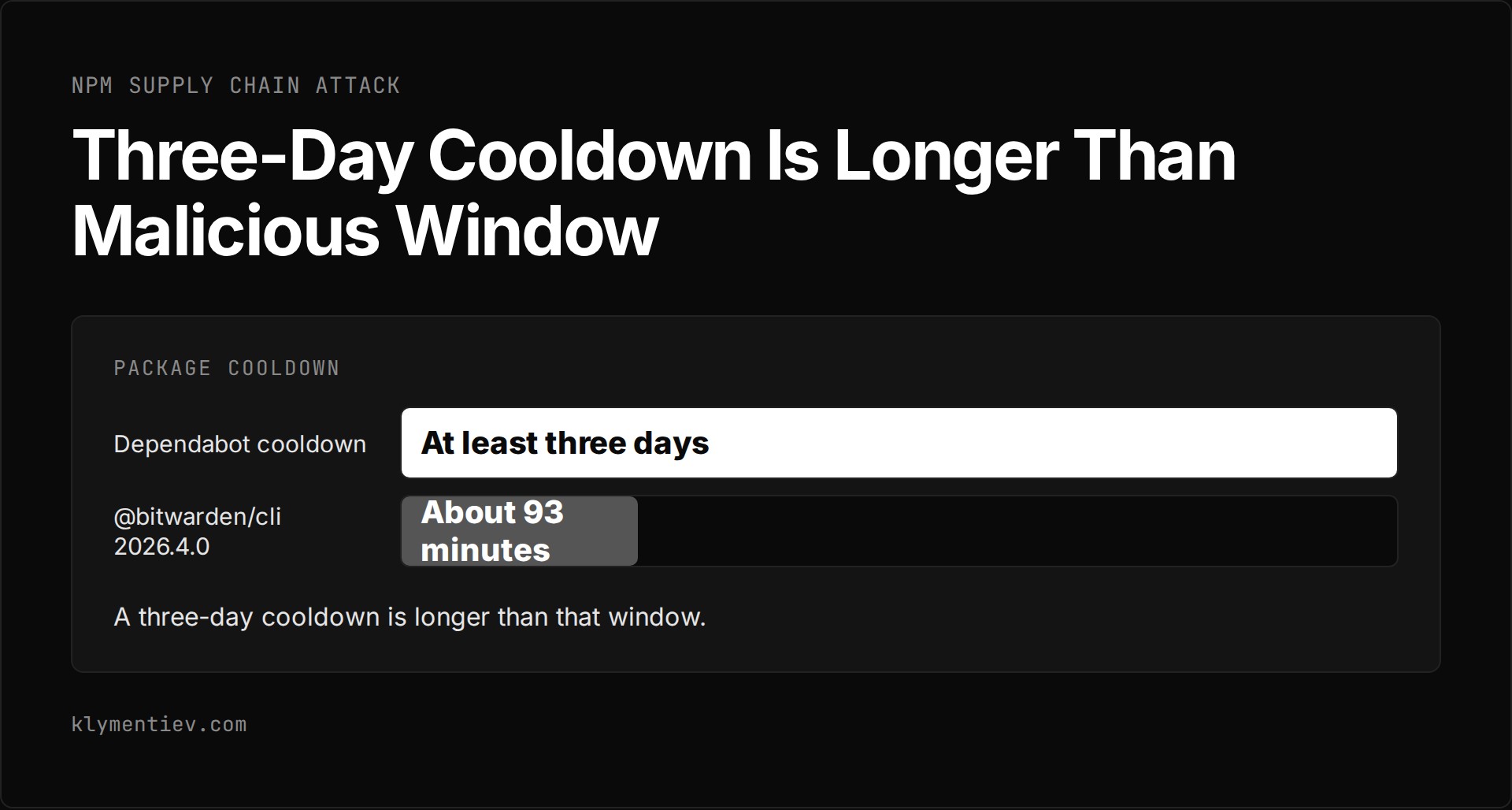
Recent incidents confirm the distinction between install-time and import-time execution. On April 22, 2026, malicious package version @bitwarden/cli@2026.4.0 appeared on npm in connection with a Checkmarx incident, tracked under CVE-2026-42994. According to Bitwarden's statement, distribution occurred between 5:57 PM and 7:30 PM ET, meaning the malicious window lasted about 93 minutes. Palo Alto Networks Unit 42 and the Palo Alto Networks Cloud Security blog attributed the attack to TeamPCP, noting that the preinstall script downloaded Bun version 1.3.13, executed a 10 MB payload, generated a public repository under the victim's GitHub profile, and backdoored packages the victim had rights to publish. In contrast, the node-ipc incident on May 14, 2026 involved versions 9.1.6, 9.2.3, and 12.0.1, published by account atiertant, a maintainer account not responsible for any prior release of the package. As documented by StepSecurity, GitHub Advisory GHSA-pvh2-rg5g-69v7, and OSV MAL-2026-3744, the payload contained an obfuscated IIFE in node-ipc.cjs that executed only when the package was imported via require. Blocking lifecycle scripts could not halt node-ipc.
To limit exposure from backdoored dependencies reading local environments, architectural separation of secrets is necessary. All credentials on my main server live in one encrypted store using SOPS with age. My scripts hold a reference, not the value, and resolve it at run time. I moved to this after a password copied into a config file went stale after a rotation and an alert channel died silently while reporting success. Secret lookups are only possible through a local socket as root since a 2026 hardening, not over TCP. A malicious package that dumps environment variables or config files on my machine finds names, not secrets.
Publishing workflows require equal hardening to protect against npm supply chain attacks across ecosystems. GitHub permanently revoked classic tokens on December 9, 2025, as recorded in the npm token update changelog, capping write tokens at 90 days. On July 31, 2026, GitHub changelog records show that bypass-2FA granular tokens lost permissions for sensitive organization and package management tasks. Modern deployments rely on npm trusted publishers using OpenID Connect, eliminating static tokens entirely when running npm CLI 11.5.1 or later on Node 22.14.0 or higher. Build pipelines can also generate npm provenance statements signed with Sigstore, verified locally using npm audit signatures. For dependency updates, Dependabot package cooldown delays version pull requests by at least three days. The @bitwarden/cli 2026.4.0 window was about 93 minutes (5:57 to 7:30 PM ET), and a three-day cooldown is longer than that window. Meanwhile, Dependabot security updates continue to open immediately for known vulnerabilities. Organizations evaluating repository posture can automate 18 security checks through OpenSSF Scorecard.
How do you handle third-party javascript security on the client?
Securing npm packages inside your repository leaves client-side delivery channels unprotected if external scripts execute directly on your web pages. On November 16, 2026, an external script injection demonstrated the limits of build-time defences. According to the official Optimizely status incident report, an unauthorized party exploited a vulnerability in Experimentation to insert malicious JavaScript into customer projects. Optimizely reported that it fixed the vulnerability and removed injected code, with the incident status set to monitoring as of November 17, 2026. While Optimizely mentioned in statements to press that attackers exploited the account signup flow, the status page attributes the incident directly to a vulnerability in Experimentation.
The scope of the incident highlights why third-party javascript security requires browser-level controls. Research published by Report URI on November 16, 2026 revealed that malicious JavaScript reached visitors across 178 organizations, with 188 infected snippets identified out of 1,611 checked. Compromised snippets were identified on domains belonging to Zoom, BBC, CNN, Salesforce, GitLab, IKEA, HSBC, Equifax, Air France-KLM, Ledger, and Peacock. Initial injections appeared at 04:21 UTC on November 16 in BBC snippets, with card skimming functions added at 13:43 UTC. By 23:11 UTC on November 16, all infected Optimizely files were confirmed clean, and the domains webshell.lol and 1688360.cc were placed on clientHold. Report URI noted that approximately $7,040 had reached attacker cryptocurrency wallets by 19:25 UTC on November 16 before the wallets were emptied early on November 17.
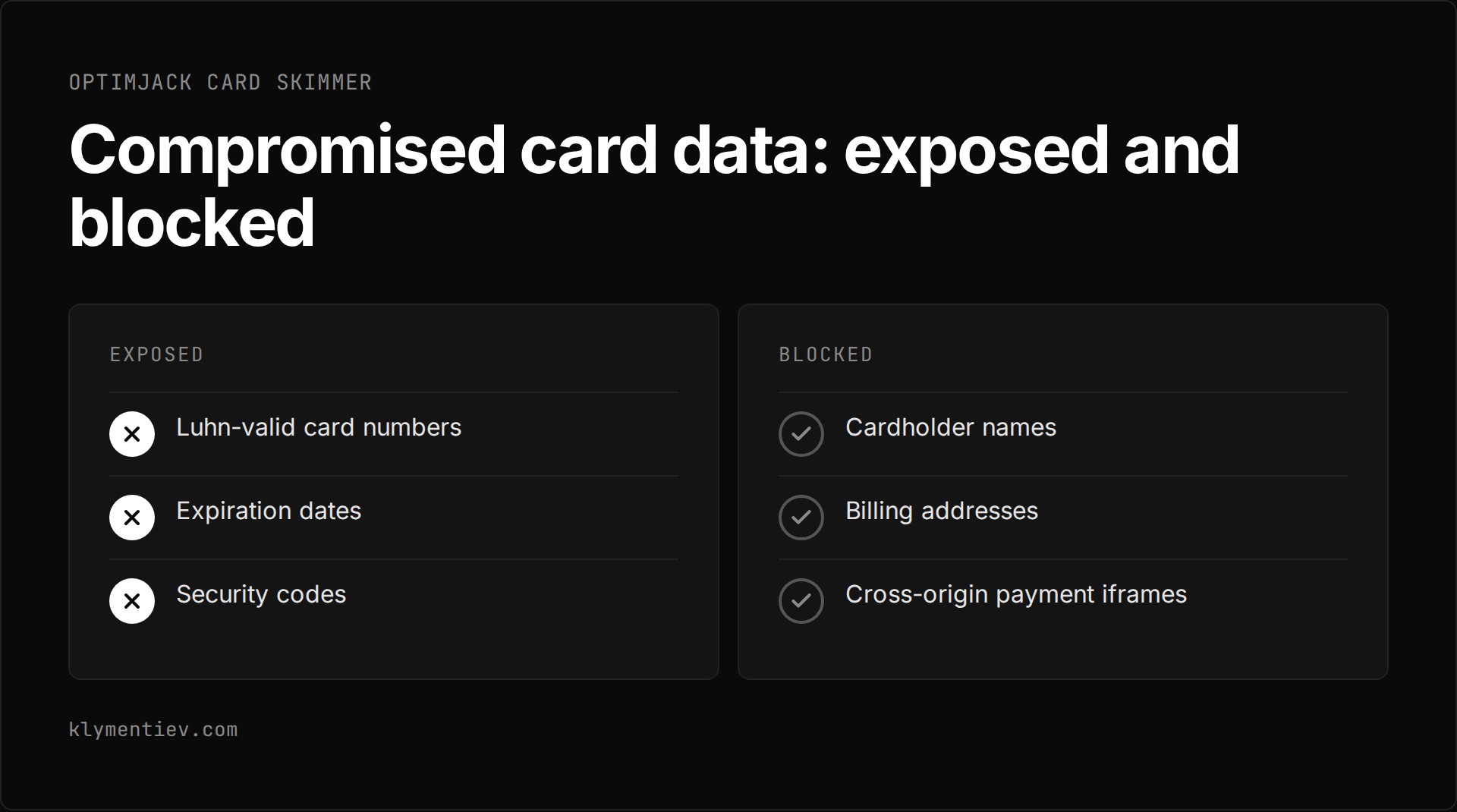
Technical analysis from StepSecurity on OPTIMJACK detailed how the injected code operated inside visitor browsers. The payload was placed into the Project JavaScript configuration of Optimizely Web projects and loaded directly from Optimizely CDN endpoints. A crypto clipper checked page text for payment words like wallet, deposit, or send, and replaced cryptocurrency addresses that passed chain checksums, exfiltrating page screenshots and cookies afterward. A card skimmer wrapped native fetch, XMLHttpRequest, and form submission APIs to identify Luhn-valid card numbers, expiration dates, and security codes, sending data through navigator.sendBeacon. The skimmer did not collect cardholder names or billing addresses, and it could not read card inputs rendered inside cross-origin payment iframes. StepSecurity advice lists 1688360.cc, webshell.lol and several .icu hosts to block. To mitigate third-party breaches, engineering teams must inspect Project JavaScript configurations, remove non-essential tags from checkout workflows, enforce Content Security Policy headers, and isolate sensitive checkout fields inside cross-origin iframes.
Which defence route fits your deployment model?
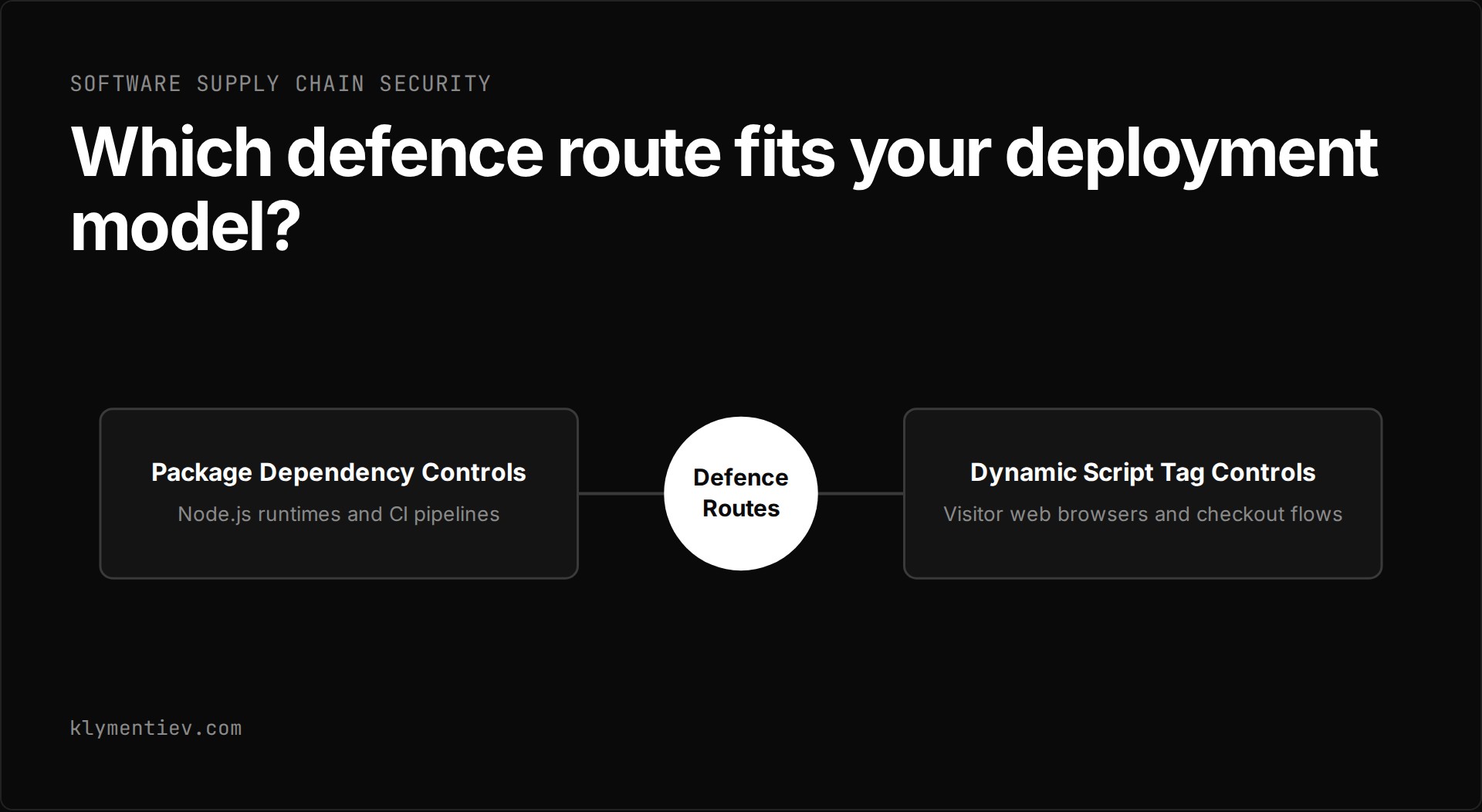
Choosing an enforcement layer depends on where malicious JavaScript enters your execution pipeline. Software supply chain security for registry packages requires strict build gates, frozen lockfiles, and credential management to prevent malicious dependencies from reading environment tokens or backdooring packages. Conversely, browser tag management cannot rely on CLI tooling or lockfiles because external scripts load dynamically over content delivery networks. Defending client applications demands network boundaries, tag minimization, and browser runtime isolation.
| Route | Target Environment | Enforced Controls | Operational Limitations |
|---|---|---|---|
| Package Dependency Controls | Node.js runtimes, CI pipelines, build servers | Frozen lockfiles via npm ci, script blocking via npm v12 allowScripts, provenance verification, OIDC trusted publishing | Does not stop malicious payloads executed at runtime via require, requires clean initial lockfile entries |
| Dynamic Script Tag Controls | Visitor web browsers, checkout flows, frontend pages | Content Security Policy rules, cross-origin payment iframes, removal of third-party tags on payment forms | Cannot inspect code modifications inside vendor CDN bundles, requires active CSP monitoring and strict iframe boundaries |
Apps assembled quickly with AI coding tools are especially exposed to this, because dependencies arrive without anyone reviewing them. A security check for AI-built apps covers dependencies, exposed keys and database rules in one pass.
Frequently asked questions
Can npm ci stop malicious dependencies from entering production?
The command freezes installation trees by reading exclusively from package-lock.json and aborting if the manifest conflicts with package.json. It removes an existing node_modules directory before it installs. However, if a malicious package version was already committed to package-lock.json during a routine update, npm ci will install that malicious code without alteration.
Does turning off install scripts prevent every npm supply chain attack?
Disabling lifecycle hooks stops threats that rely on preinstall or postinstall triggers to execute code during installation. This was the vector seen in attacks following the Shai-Hulud campaign documented by GitHub and the Unit 42 research, as well as the @bitwarden/cli compromise. It offers no protection against malicious modules like node-ipc, where malicious routines are placed inside standard module files and run only when an application imports the package.
What happened during the node-ipc compromise?
On May 14, 2026, versions 9.1.6, 9.2.3, and 12.0.1 of node-ipc were published to npm by account atiertant, an account that had never published prior versions of the library. An obfuscated IIFE was added to node-ipc.cjs that harvested system credentials across more than 90 categories, including cloud provider keys, SSH secrets, and configuration files. Data was exfiltrated to an external server and via DNS queries. Systems running affected versions must rotate all environment secrets, audit network egress logs, and pin dependencies to clean releases such as 9.2.1, 11.1.0, or 12.0.0.
How did the Bitwarden command line incident occur?
On April 22, 2026, version 2026.4.0 of @bitwarden/cli was published to npm during a Checkmarx supply chain incident, generating advisory CVE-2026-42994. The package remained available for approximately 93 minutes before removal. The malicious package downloaded the Bun runtime, ran bw1.js, an approximately 10 MB single-line JavaScript file, established a public repository under the victim's account to store harvested credentials, and attempted to backdoor packages the victim maintained. Bitwarden stated it found no evidence vault data was accessed and instructed users to clear caches and update to version 2026.4.1.
What steps should you take if your site loaded infected Optimizely snippets?
If your site uses Optimizely Web Experimentation, StepSecurity advises searching your logs back to 04:00 UTC on November 16, 2026. StepSecurity recommends blocking domains 1688360.cc, webshell.lol, and related .icu endpoints. Audit Project JavaScript fields across all Optimizely projects, review Optimizely users and API tokens, and verify that payment form fields are hosted in cross-origin iframes so that injected parent scripts cannot access credit card data.
