

A complete approach to vps security starts with knowing which systems face real danger from recent vulnerabilities. In November 2026, security researchers disclosed the SSHole bypass, tracked as CVE-2026-123158, in OpenSSH. It allows authentication bypass under specific conditions, but it only affects Linux installations running musl libc without PAM, such as Alpine Linux. Systems running Ubuntu or Debian with glibc remain safe from this bug. Securing a virtual machine requires separating real distribution risks from fundamental server hardening steps.
Does the OpenSSH SSHole bug affect your vps security?
The vulnerability known as SSHole was reported by Özgün Kültekin of Wakefield and fixed in Portable OpenSSH 10.6p2 on 2026-11-05, as documented in the OpenSSH release notes. The flaw received CVE-2026-123158 on the CVE record page with a CVSS 3.1 score of 8.1 High and a classification of CWE-394. The NVD vulnerability entry recorded the issue, and CISA added it to the Known Exploited Vulnerabilities catalog on 2026-11-09 with an action requirement for federal civilian agencies due by 2026-11-12, per the CISA catalog announcement. As of catalog version 2026.11.17, this is the only OpenSSH vulnerability in the active KEV list.
The technical scope of the bug is narrow. According to the OpenSSH developer announcement by Damien Miller, the problem exists only on Linux systems built with musl libc where PAM is disabled and password authentication is allowed. It does not exist on non-Linux operating systems, Linux systems linked against glibc, or Linux systems utilizing PAM for password validation. The oss-security disclosure and the Wakefield researcher write-up explain that musl crypt returns an asterisk on failure when hashing passwords longer than 256 bytes, up to 1024 bytes. If an account has an asterisk in its password hash field, such as root on Alpine or a key-only account, and the system contains at least one other account with a standard hash, entering a password longer than 256 bytes matches that asterisk.
Active scanning began quickly. The SANS ISC diary reported the first exploit attempt on 2026-11-05 using a long password of repeating characters. GreyNoise observed the first public exploit on GitHub on 5 Nov 2026 at 13:16:55 UTC and tracked the first successful exploitation on 7 Nov 2026 at 00:46:51 UTC on their GreyNoise event tracking dashboard.
The Alpine Linux security advisory confirms that Alpine releases from 3.16 through 3.24 were affected, and resolved packages were issued for versions including 3.21.10, 3.22.8, 3.23.8, and 3.24.4. Alpine administrators must note that upgrading the package alone does not replace the running daemon, so a restart of sshd is required.
Mainstream server distributions do not share this vulnerability. The Ubuntu security tracker marks all releases as not affected because Ubuntu links OpenSSH against glibc and uses PAM. On Debian, the Debian security tracker lists urgency as unimportant and no security advisory was issued. Both my servers run Ubuntu, one on 24.04 and one on 22.04, running OpenSSH 9.6p1 and 8.9p1 with glibc and PAM. I checked them after the advisory, confirmed this CVE does not apply to my environments, and used the incident as an audit baseline for my entire server setup.
How do you harden ssh daemon settings?
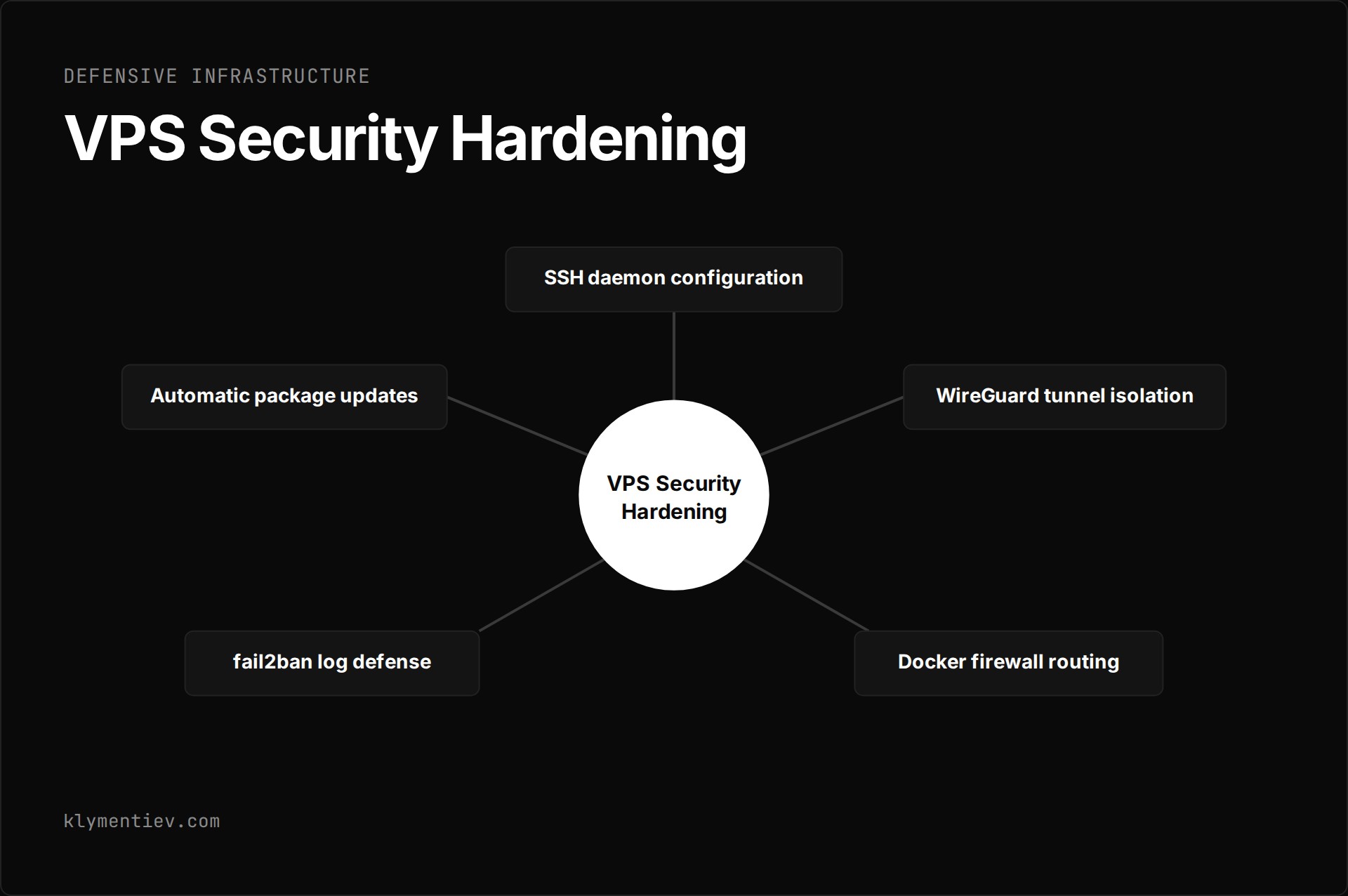
The most effective step in ssh hardening is turning off password authentication entirely. In the daemon manual on the OpenBSD sshd_config reference, PasswordAuthentication defaults to yes. Changing this parameter to PasswordAuthentication no disables password authentication and mitigates the bypass on musl systems. You can confirm your active configuration by executing sshd -T and filtering for the parameter. Keep your existing administrative terminal open while testing a secondary login in another window to avoid accidental lockouts.
Restricting administrative privileges is another requirement when you harden ssh. The PermitRootLogin directive defaults to prohibit-password, which prevents password logins for root while still permitting cryptographic key authentication. Setting this option to no closes direct root access entirely, forcing administrators to connect through an unprivileged account before escalating with administrative tools. You can enforce granular network access using the AllowUsers directive, which accepts specific usernames alongside source IP addresses or CIDR blocks.
Other configuration defaults provide useful defensive boundaries. KbdInteractiveAuthentication defaults to yes and should be set to no when interactive password challenges are unnecessary. MaxAuthTries limits authentication attempts per connection and defaults to 6. LoginGraceTime specifies how long the daemon waits for authentication before dropping the connection, with a default of 120 seconds. OpenSSH also includes PerSourcePenalties enabled by default, which temporarily blocks client addresses that display abusive connection patterns.
On my main server, root login over SSH is completely disabled. I connect exclusively as an unprivileged user and use sudo for system administration tasks. Without direct root login, an authentication flaw does not hand over a root login directly, although Alpine's advisory notes that another account able to become root is still a path.
How does a WireGuard tunnel isolate administrative access?
Moving administrative services completely off the public internet provides stronger protection than relying on daemon configurations alone. Setting up a private network via the WireGuard quickstart guide creates an encrypted tunnel between your local workstation and the server. WireGuard uses base64-encoded public and private keys generated with the wg utility and manages network devices using wg-quick.
A distinct operational advantage of WireGuard is its quiet nature on the network. By default, WireGuard tries to be as silent as possible when not being used, and it is not a chatty protocol. To maintain state through network address translation, the quickstart suggests 25 seconds as a keepalive interval that works with most firewalls, though keepalive is optional rather than required.
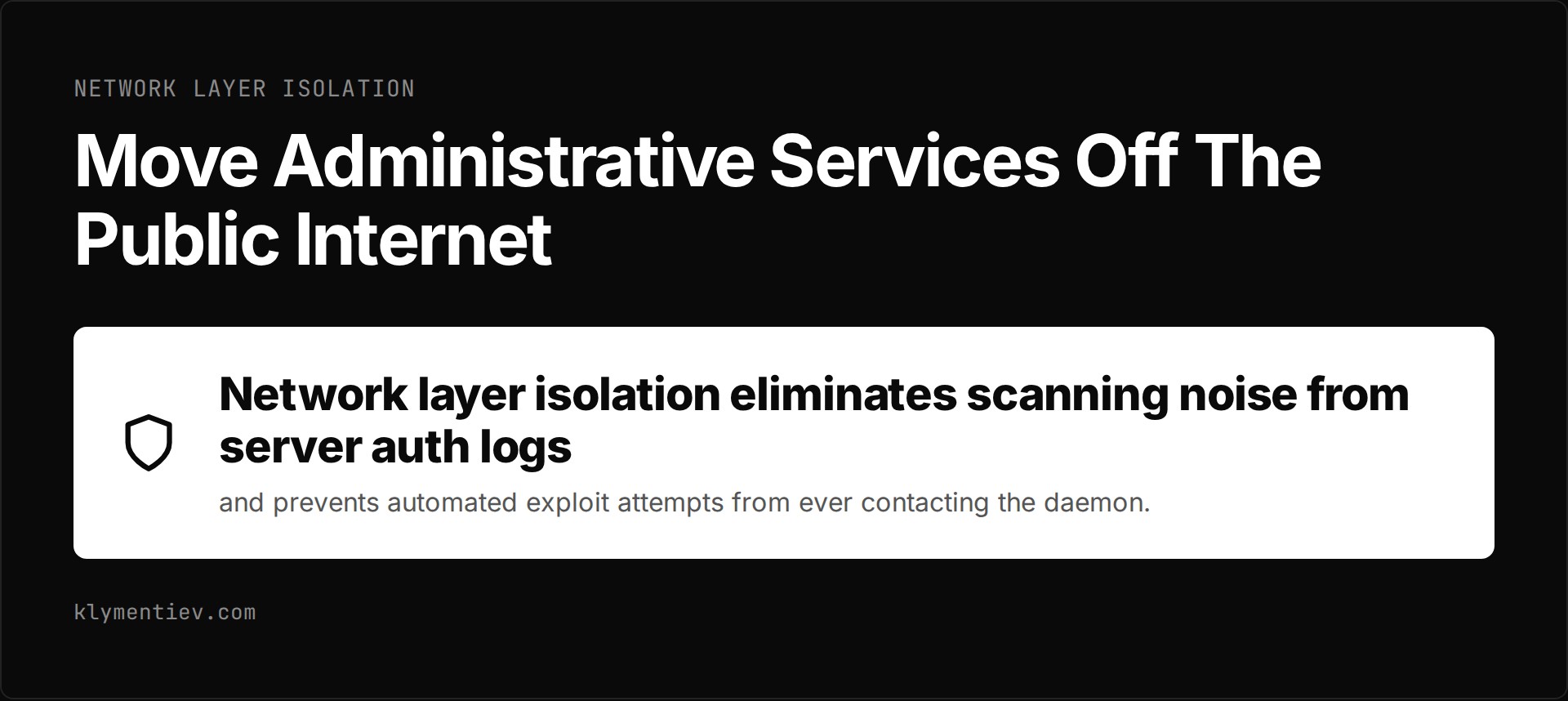
On my main machine, which hosts internal automation tools and microservices, the SSH port is not exposed to the public internet at all. SSH is reachable only through the WireGuard tunnel. Even if an unauthenticated remote exploit exists in the OpenSSH codebase, an attacker scanning public IP ranges cannot reach the SSH port. Network layer isolation eliminates scanning noise from server auth logs and prevents automated exploit attempts from ever contacting the daemon.
How does docker security interact with host firewalls?
Managing containerized applications introduces unexpected networking behaviors that undermine basic host firewalls. When you publish a port using standard container commands, Docker modifies the host iptables rules directly. As explained in the Docker packet filtering documentation, Docker directs inbound traffic through the nat table before packets ever hit the standard INPUT filter chain used by UFW.
Because packets are redirected early, a standard deny rule configured in UFW fails to intercept traffic heading to a published container port. The Docker iptables documentation explains that custom filtering must be placed inside the DOCKER-USER chain. This chain is evaluated before Docker forwards packets into container networks.
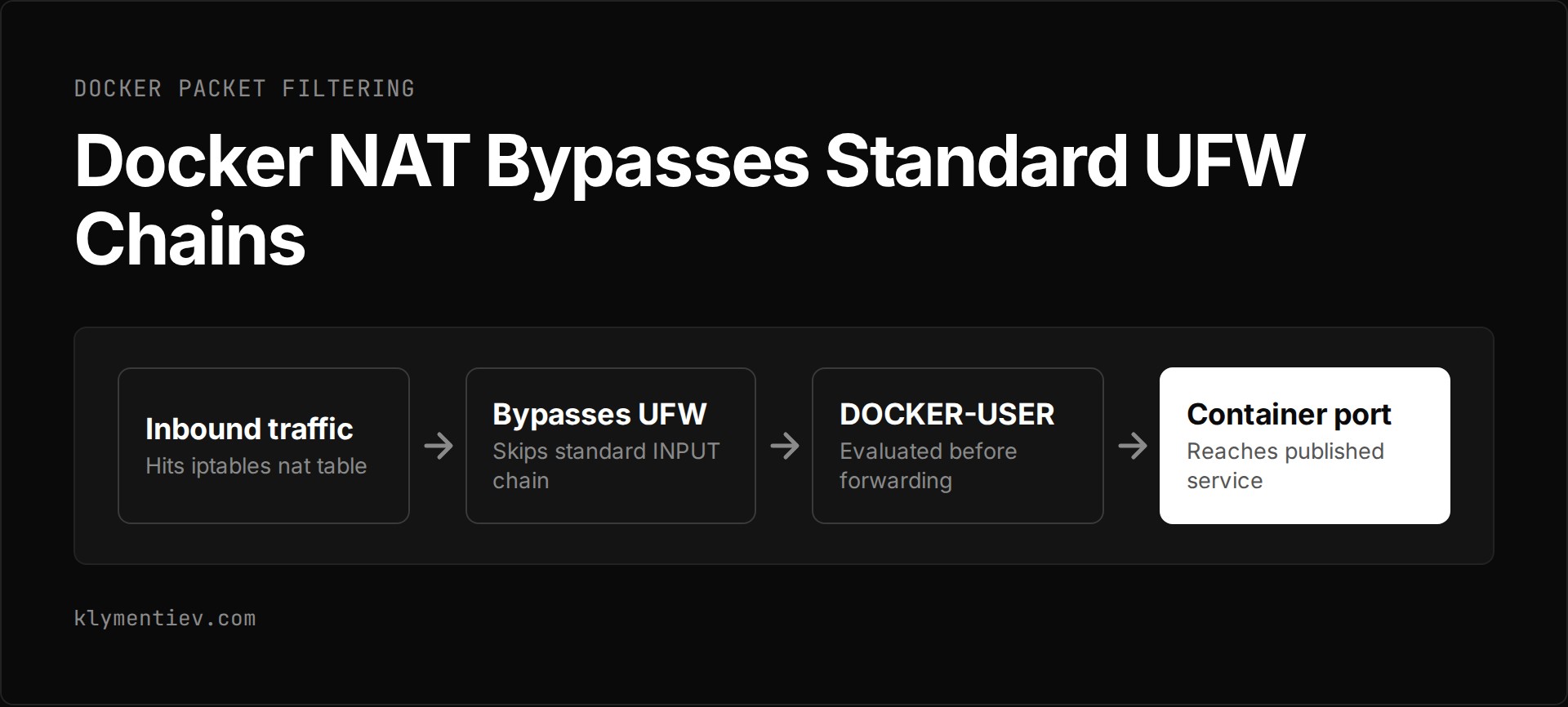
I encountered this exact issue when running services on my host. Docker published ports went past my ufw deny rule and I needed a DOCKER-USER rule too. A second operational trap appeared shortly after: on my setup, a ufw reload flushed DOCKER-USER and silently removed rules LXD had put there. I resolved this behavior by listing the necessary rules inside after.rules and verifying the chain contents after every firewall reload.
For local services that do not need direct public exposure, bind the container port directly to the loopback interface using 127.0.0.1 or ::1, as shown in the Docker port publishing guide. The documentation notes that on Docker releases older than 28.0.0, adjacent machines on the same local layer 2 network could still access ports published to localhost. Maintaining proper docker security requires verifying both binding addresses and raw packet forwarding chains.
How do fail2ban and package updates complete linux server hardening?
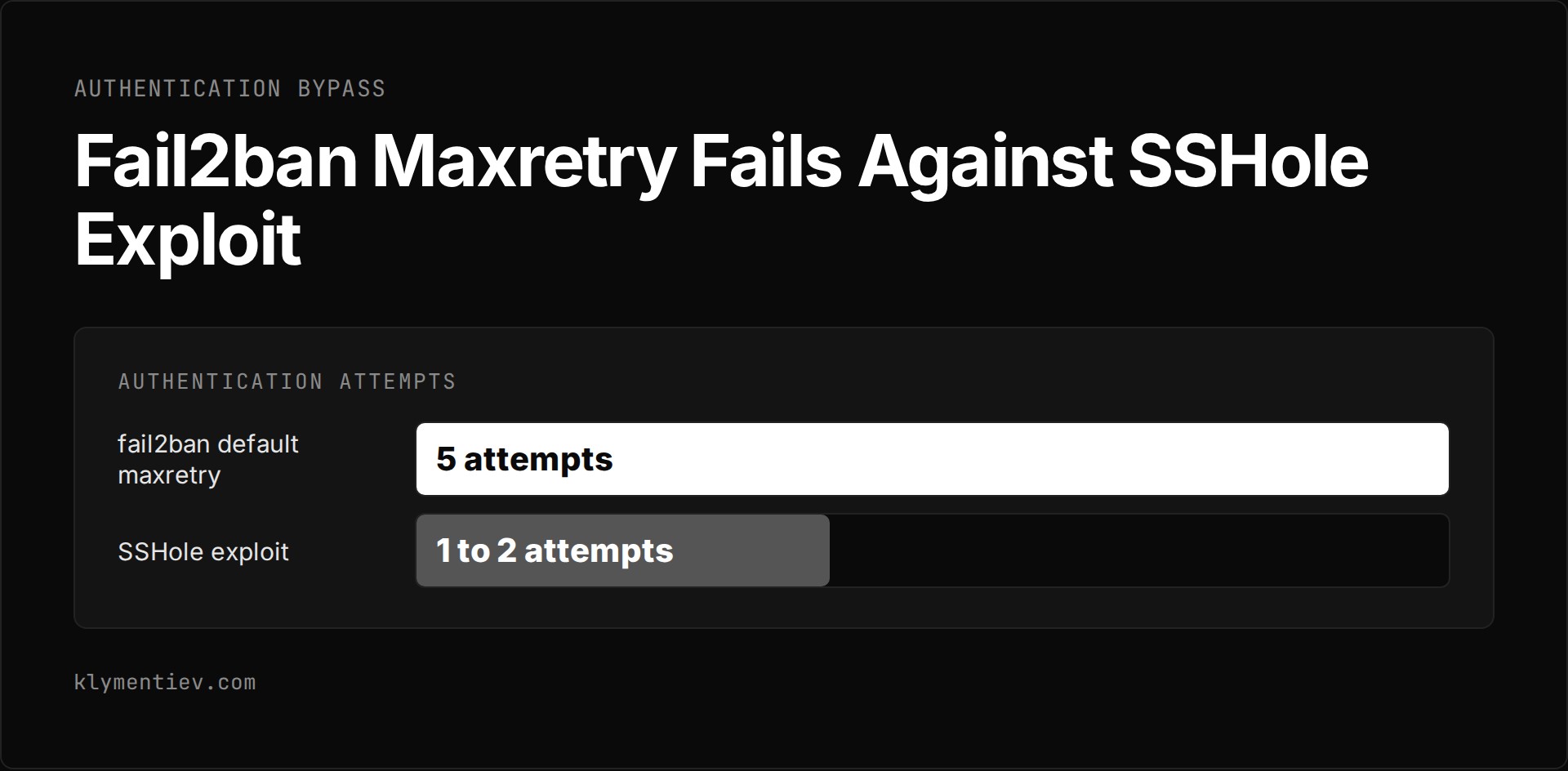
Automated log monitoring is a standard element of linux server hardening, but administrators must understand its operational boundaries. The fail2ban project monitors system logs such as auth.log and inserts temporary firewall reject rules when repeated failed attempts occur. The default settings in the fail2ban jail configuration specify a bantime of 10 minutes, a findtime of 10 minutes, and a maxretry threshold of 5 attempts. Changes should always be made in a custom jail.local file rather than editing jail.conf directly.
Log-based banning tools cannot prevent single-connection authentication bypasses. Alpine's advisory says one connection is enough, while the researcher says a wrong try may be needed first. Either way it is far below fail2ban's default maxretry of 5. As the fail2ban project explicitly notes in its documentation, banning tools reduce brute-force volume but cannot compensate for weak or broken authentication mechanisms.
Misconfigured monitoring tools can also disrupt valid operations. On my mail server, fail2ban banned my own main server after two or three wrong SMTP passwords. The failure symptom was an immediate connection timeout, which initially mimicked an upstream routing failure. The ban had triggered in two jails at once, postfix and dovecot. The practical safeguard is adding all your administrative IP addresses and internal infrastructure nodes to the ignoreip configuration line before activating any jail.
Automated software patching handles the remaining threat vector. The Ubuntu automatic updates documentation shows that Ubuntu activates security patches by default via unattended-upgrades. The tool runs daily to pull security releases and packages covered by expanded security maintenance. Adding third-party package repositories does not automatically include them in unattended updates unless explicitly configured.
Monitoring file systems complements update automation. My security monitor on the main machine alerts on any process started from /tmp. That monitor triggered on my own test build during development, which served as a reminder to restrict test binaries to designated workspace directories and actively flag anomalous process execution across shared temporary mounts.
Which defensive route fits your server environment?
Securing an internet-facing host involves applying the appropriate mitigation layer to the specific threat. The following table contrasts the primary hardening mechanisms, their operational focus, and their prerequisites.
| Defensive Route | Target Threat | Primary Mechanism or Tool | Operational Consideration |
|---|---|---|---|
| Package patching | Known software defects and memory flaws | Portable OpenSSH 10.6p2 or distribution update | Alpine package upgrades do not restart sshd automatically |
| Daemon configuration | Credential brute-force and musl auth bypass | PasswordAuthentication no in sshd_config | Eliminates password checks and blocks the SSHole vector |
| VPN isolation | Port scanning and unauthenticated daemon zero-days | WireGuard tunnel interface | Removes the SSH port entirely from the public internet |
| Firewall chain routing | Unauthorized traffic reaching published containers | Custom filtering in DOCKER-USER chain | Docker NAT bypasses default UFW input chains |
| Automated intrusion defense | High-volume brute-force authentication scans | fail2ban scanning log files | Add admin IPs to ignoreip to avoid self-inflicted lockouts |
| Continuous update automation | Known vulnerabilities in installed packages | unattended-upgrades package | Daily execution applies system patches without intervention |
Frequently asked questions
Does the SSHole vulnerability affect Debian or Ubuntu servers?
Ubuntu and Debian are not vulnerable to CVE-2026-123158. The vulnerability requires OpenSSH to run on a Linux system using musl libc without PAM support. Ubuntu and Debian build OpenSSH against the GNU C Library (glibc) and route password authentication through PAM. Canonical confirmed that all Ubuntu releases are not affected, and the Debian security tracker classified the issue with an urgency of unimportant, issuing no Debian Security Advisory.
Why does fail2ban fail to stop the SSHole authentication bypass?
Tools like fail2ban rely on detecting repeated failed authentication attempts in system logs before applying a firewall ban. The default configuration in jail.conf triggers an IP block only after 5 failed attempts within 10 minutes. Because the SSHole exploit requires only one or two attempts to authenticate successfully, the bypass succeeds long before fail2ban registers enough log failures to generate a firewall rule.
Why do Docker containers ignore standard UFW rules?
Docker creates its own routing rules in the iptables nat table to handle network port mapping. Inbound network packets destined for published container ports are translated and forwarded before reaching the standard INPUT filter chain where UFW rules are applied. To filter inbound traffic directed at container ports, firewall rules must be placed directly into the DOCKER-USER chain.
How do you verify that password authentication is disabled in OpenSSH?
You can test the active configuration of your running OpenSSH daemon by executing sshd -T on the command line. This command parses all configuration directives and outputs the effective server values. Running sshd -T and filtering for PasswordAuthentication will show whether the directive is currently evaluated as no. You should always confirm key-based access in an active secondary session before ending your administrative connection.
