

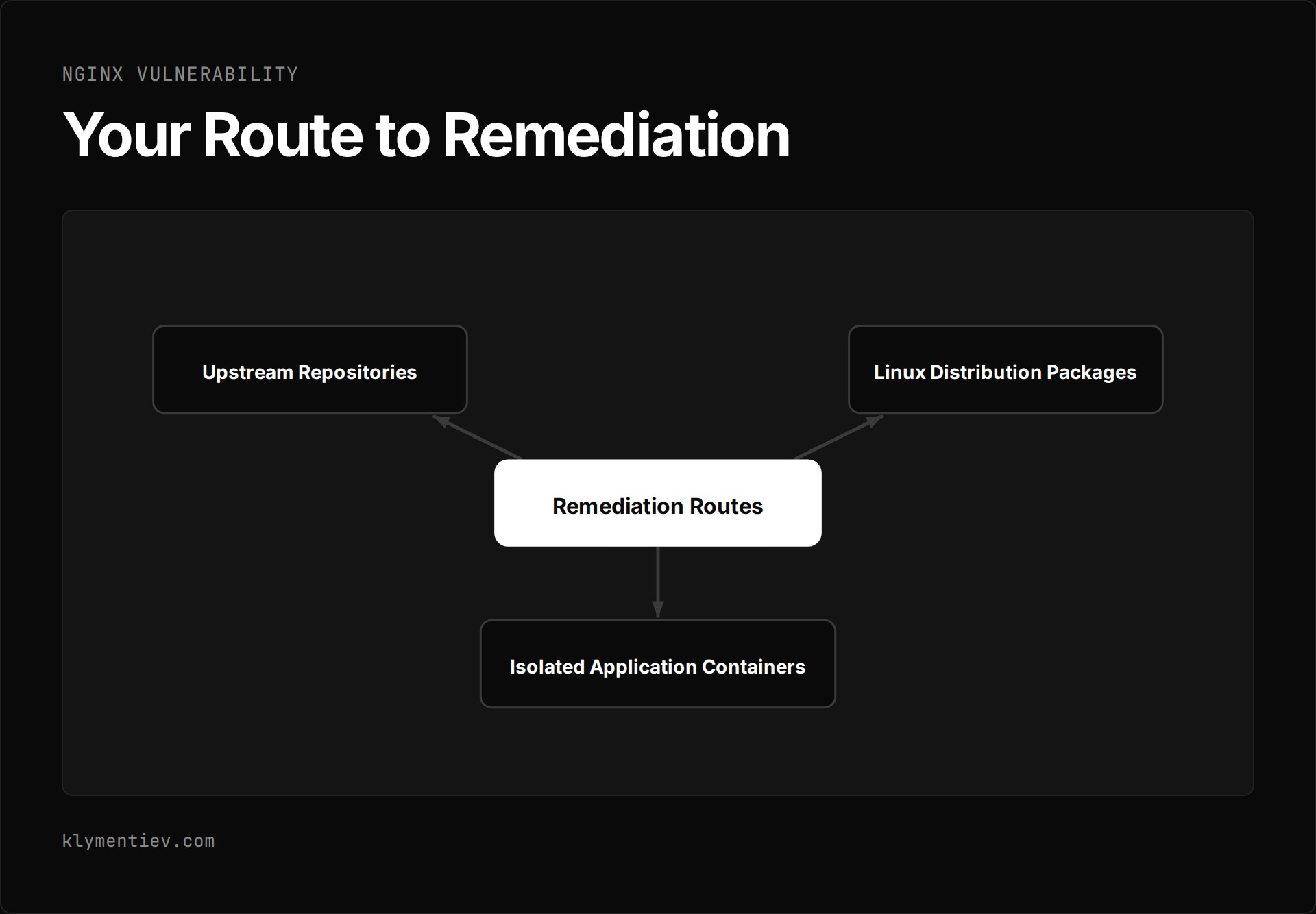
The nginx vulnerability disclosed on November 18, 2026 includes multiple security flaws across open source releases and NGINX Plus, with the most critical issue involving HTTP/2 memory corruption. Upstream releases 1.31.9 and 1.30.7 provide official fixes on nginx.org, though as of 2026-11-18, package repositories for Debian and Ubuntu remain unpatched. Your route to remediation depends on whether your infrastructure uses upstream repositories, Linux distribution packages, or isolated application containers.
How do you patch the nginx vulnerability via official packages?
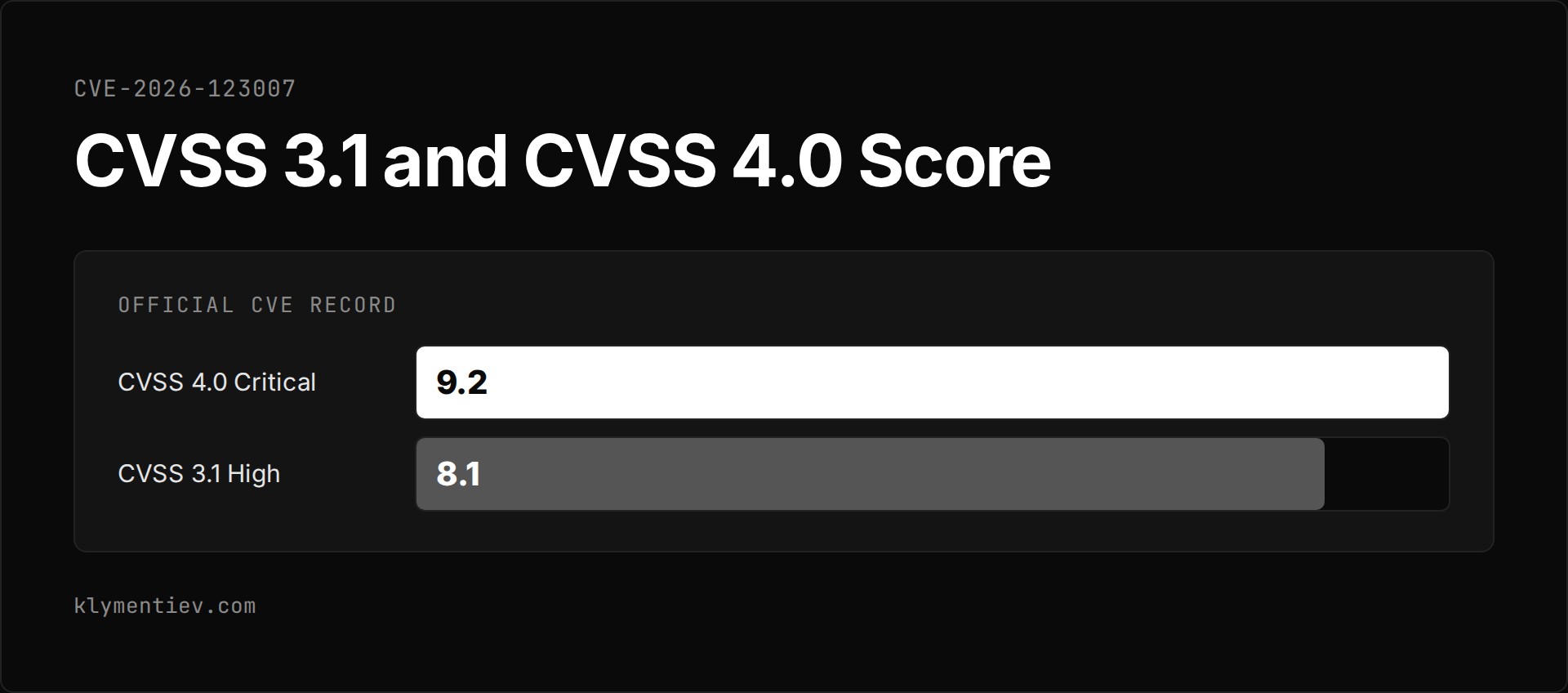
If your systems pull packages directly from the official nginx.org repositories, you have immediate access to patched binaries. The release announced on the official nginx CHANGES log introduces mainline version 1.31.9 and stable version 1.30.7. The primary flaw addressed across these versions is CVE-2026-123007, detailed on the nginx security advisories page as memory corruption in HTTP/2 flow control. The official CVE record for CVE-2026-123007 published by F5 rates this flaw as a CVSS 3.1 score of 8.1 High and a CVSS 4.0 score of 9.2 Critical. It stems from an integer underflow (CWE-191) leading to an out-of-bounds write (CWE-787). All NGINX Open Source versions from 1.9.5 up to 1.31.8 are vulnerable when HTTP/2 is active.
This official nginx security update also resolves several companion vulnerabilities:
- CVE-2026-123633: a use-after-free issue in HTTP/2 when worker_connections are exhausted while forwarding requests to an upstream server.
- CVE-2026-121810: a use-after-free issue in HTTP/3 under similar worker connection exhaustion.
- CVE-2026-123634: a use-after-free condition when the resolver directive processes simultaneous subrequests with request-derived destinations and mirror configurations.
- CVE-2026-113425: a use-after-free condition in the mail proxy module when proxying is enabled with HTTP authentication.
- CVE-2026-125283: a buffer overflow occurring when combining the try_files and alias directives in specific block configurations.
- CVE-2026-118899: an endless loop in worker processes reading client request bodies over TLS 1.3.
Upgrading the package files on disk does not automatically protect your server. On my hosting server, which runs Ubuntu 22.04 with the official nginx.org repository, the system updated to 1.31.9-1~jammy on 2026-11-18. When I checked hours later, running nginx -v reported version 1.31.9. However, the master process had started the previous day. Checking ls -l /proc/$(cat /run/nginx.pid)/exe showed that the active binary link ended with (deleted). The running server was still the old, vulnerable binary.
A standard configuration reload keeps the existing master process intact. To complete the upgrade, apply these verification steps:
- Verify repository origins using
apt-cache policy nginx. - Apply the official package update using your package manager.
- Validate configuration syntax with
nginx -tprior to cycling services. - Issue
systemctl restart nginxor execute a live binary upgrade. - Inspect
/proc/$(cat /run/nginx.pid)/exeto confirm the running binary no longer points to a deleted file.
What should you do while waiting for distribution updates?
If you rely on default distribution repositories, your systems do not yet have vendor patches. As of 2026-11-18, the Ubuntu security advisory lists packages as vulnerable across Ubuntu 16.04 LTS, 18.04 LTS, 20.04 LTS, 22.04 LTS, 24.04 LTS, 26.04 LTS, and 26.10, with only Ubuntu 14.04 marked as not affected. Similarly, the Debian security tracker lists bookworm, trixie, forky, sid, and unstable as vulnerable or unfixed.
Research published by Xint.io on NGINX2Root demonstrates that an unauthenticated remote attacker can exploit CVE-2026-123007 to execute arbitrary commands with the privileges of the nginx worker process. The researchers discovered the vulnerability on 2026-10-11, reported it through HackerOne on 2026-10-16, and coordinated disclosure for 2026-11-18. They combined this nginx flaw with a Linux kernel SCTP issue to elevate privileges to root, though they intentionally omitted the final steps required for full exploit reproduction.
While waiting for distribution maintainers, you can apply targeted mitigations based on your configuration:
- Disable HTTP/2 on public interfaces. Disabling HTTP/2 blocks the primary nginx http2 vulnerability tracked under CVE-2026-123007 as well as CVE-2026-123633. You can locate active HTTP/2 directives using
grep -rn "http2" /etc/nginx/. Note that disabling HTTP/2 does not mitigate CVE-2026-123634, CVE-2026-121810, or CVE-2026-113425. - Restrict kernel module loading. On hosts that do not require SCTP, add
install sctp /bin/falseinside a configuration file under/etc/modprobe.d/. This prevents the kernel from loading the module on demand, though it will not unload a module that is already in memory. - Audit backend exposure. On several of my containers running Debian bookworm with nginx 1.22.1, the web server listens strictly on localhost behind an internal proxy without TLS, HTTP/2, resolver directives, or alias rules. Because none of the preconditions in the advisories match those configurations, I left them as they are until Debian ships its packages.
- Track package version strings accurately. Linux distributions often backport fixes without changing the version that nginx -v shows. When distribution updates arrive, compare the full package release string against distribution tracker records rather than checking the base release number alone.
How do you inspect container images and embedded binaries?
Standard package manager queries miss standalone binaries shipped inside containers or embedded in third-party administration software. When I audited my machines on 2026-11-18, I found multiple independent nginx binaries running outside the host system package manager.
My hosting control panel bundled its own independent build at version 1.30.6. I patched this instance by pulling version 1.30.7 directly from the control panel vendor repository. In another case, an application container built on Alpine ran nginx 1.30.4. I rebuilt the container image without cache so it fetched version 1.30.7, preserving the previous container tag to ensure a reliable rollback path. A separate static site running on the official nginx:alpine image required pulling the latest image tag and recreating the container to deploy version 1.31.9.
To audit all running web servers across your systems, follow this procedure:
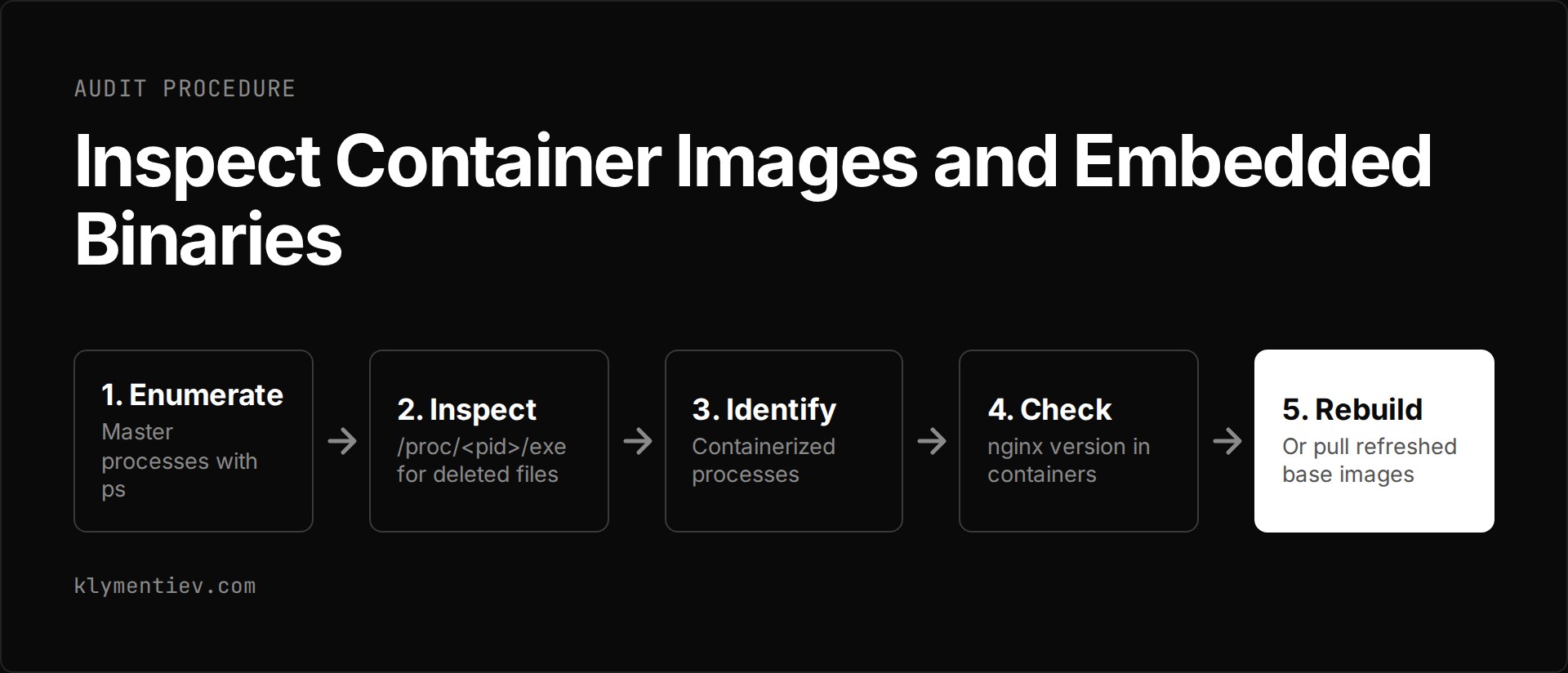
- Enumerate every master process using
ps -o pid,lstart,cmd -C nginx. - Inspect the executable path of each process using
ls -l /proc/<pid>/exeto identify unlinked binaries marked as deleted. - Identify containerized processes by checking which container each process belongs to.
- Run
docker exec <container> nginx -vto check nginx version information inside each active container. - Rebuild or pull refreshed container base images, recreate the affected containers, and confirm that the running process points to the replacement binary.
Which patching route fits your environment?
Choosing an upgrade path depends on how you deploy nginx and whether upstream repositories are integrated into your environment.
| Deployment Route | Target Environment | Status as of 2026-11-18 | Required Action |
|---|---|---|---|
| Upstream Nginx Repository | Production servers on Ubuntu or Debian configured with nginx.org sources | Patched packages 1.31.9 and 1.30.7 available | Install updated package, test configuration with nginx -t, and run systemctl restart nginx |
| Distribution Repositories | Standard Debian (bookworm, trixie, sid) and Ubuntu LTS deployments | Listed as vulnerable with no vendor packages available | Disable HTTP/2 on public listeners, add SCTP module restrictions, or switch to nginx.org repositories |
| Containerized Deployments | Docker containers using Alpine, Debian base images, or official image tags | Upstream nginx:alpine updated; Debian container bases unfixed | Pull updated images, rebuild custom application Dockerfiles without cache, and recreate containers |
| Embedded Control Panels | Web hosting administration software running standalone web stacks | Dependent on individual hosting software vendor repositories | Update packages through the panel vendor repository |
Frequently asked questions
Is the nginx vulnerability being actively exploited in the wild?
As of 2026-11-18, the CISA KEV catalog version 2026.11.18 does not list CVE-2026-123007 or any related flaws from this release across its 1,786 entries. The researchers at Xint.io who documented the nginx2root chain explicitly omitted the final exploitation steps from their publication.
Does running a configuration reload load the patched nginx binary?
A configuration reload does not replace the running binary. To load the new binary from disk, you must execute a full restart using systemctl restart nginx or perform an upstream live binary upgrade procedure.
Does disabling HTTP/2 protect against every flaw in this release?
Disabling HTTP/2 mitigates CVE-2026-123007 and CVE-2026-123633. It does not protect servers against CVE-2026-123634 in configurations using dynamic resolvers and mirroring, CVE-2026-121810 when HTTP/3 is active, CVE-2026-113425 in mail proxy setups, or CVE-2026-125283 when combining alias and try_files directives.
Why does the version check command show a patched release on an unpatched host?
The nginx -v command inspects the binary currently located on your filesystem. When package management tools install an update, the on-disk binary is replaced immediately, but active processes continue executing the old code unlinked in RAM. Inspecting /proc/<pid>/exe reveals whether the running process has been upgraded or is marked as deleted.
