

Sevalla is a cloud hosting platform from Kinsta that pairs free static site hosting with usage-based application containers and managed databases. Static sites cost nothing within a monthly shared allowance of 100 GB bandwidth and 600 build minutes. Backends and databases are paid by the second, with a one-time $20 credit for your first month. You need a card on file, and you should budget for outbound bandwidth.
What Sevalla is (and who runs it)
Sevalla is a cloud platform made by Kinsta: every page footer says "Sevalla® is a Kinsta product", and the about page says it "was created by the team behind Kinsta". The footer lists SOC 2 Type II, ISO 27001, GDPR and CCPA. Applications, databases and builds run in Oracle Cloud Infrastructure (OCI); public traffic, edge caching and object storage go through Cloudflare.
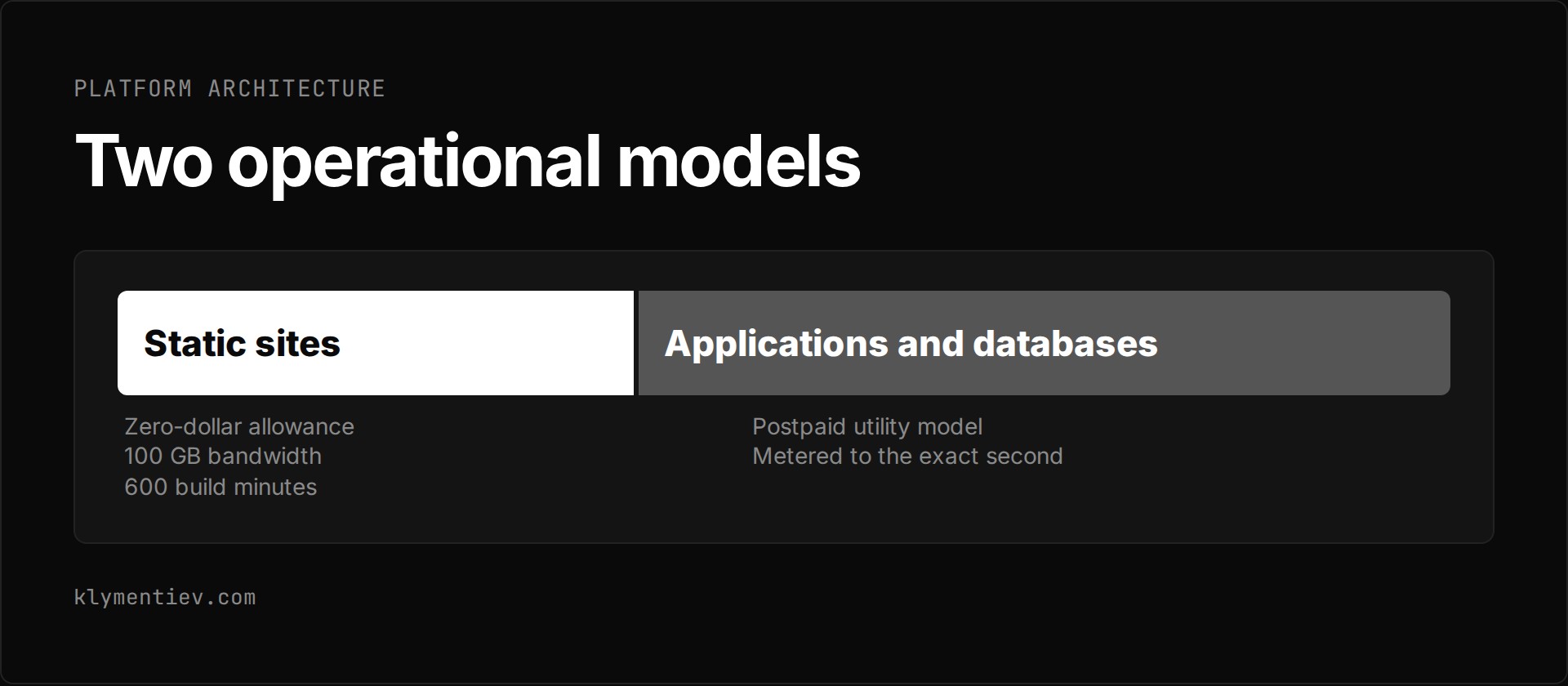
The platform architecture splits services into two operational models. Static sites operate on a zero-dollar allowance designed for documentation, marketing pages, and client-side applications. Applications and databases operate on a postpaid utility model where every resource is metered to the exact second.
On this blog, I maintain my comparison of free website hosts and a dated list of free tiers to track how cloud providers handle zero-dollar infrastructure. This sevalla review examines whether the platform delivers practical value for production workloads, where the financial boundaries sit, and where the marketing documentation glosses over operational constraints.
The geographical distribution of the platform relies on OCI data centers for its execution tier. When you provision an application or a managed database, you choose from 20 OCI regions:
- Ashburn, Chicago, Phoenix, and San Jose in the United States
- Montréal in Canada
- Santiago and São Paulo in South America
- Amsterdam, Frankfurt, London, Madrid, Stockholm, and Zurich in Europe
- Hyderabad and Mumbai in India
- Seoul, Singapore, and Tokyo in Asia
- Sydney in Australia
- Dubai in the Middle East
The marketing materials on the website continue to advertise 25 data center locations, which reflects an older Google Cloud footprint. If you register a new account, the platform exposes these 20 OCI regions. Static files are served from Cloudflare's edge, which Sevalla puts at more than 260 locations.
What is free: static site hosting
The primary draw for personal projects and frontend developers is sevalla static site hosting. The free allowance does not operate on a per-site quota. Instead, each company account receives a shared pool of resources refreshed every billing period:
- 100 GB of outbound bandwidth per month
- 600 build minutes per month
- Up to 100 static sites per company account
- Pull request preview environments included without extra subscription fees
Static builds run on a build machine with 4 vCPUs and 8 GB of memory. By default, an individual build deployment has a hard execution limit of 30 minutes. Build pipelines run with a concurrency limit of one build per site, meaning sequential commits to the same project wait until the active compilation finishes. The native build environment supports Node.js versions 16, 18, 20, 22, and the current active LTS release.
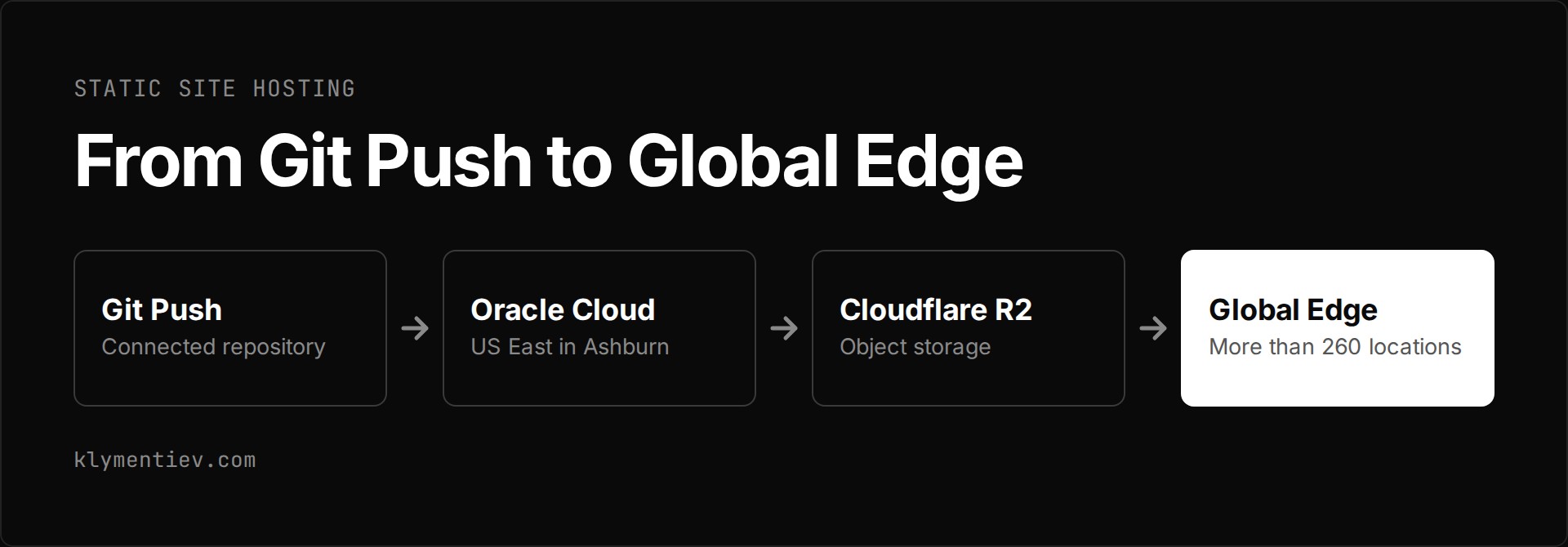
Git Push -> Oracle Cloud US East (Ashburn) -> Cloudflare R2 -> Global EdgeBuild execution does not happen at the edge. Sevalla compiles every static site inside Oracle Cloud's US East data center in Ashburn, Virginia. Once the builder completes the output directory, it uploads the compiled assets to Cloudflare R2 storage. From that storage layer, Cloudflare distributes files across its global edge network.
The platform handles framework detection automatically during repository connection. The static hosting documentation highlights direct detection for Next.js, Nuxt, Gatsby, and Vite. For alternative static site generators, the documentation maintains explicit deployment recipes for Astro, Docusaurus, Eleventy, Hugo, Jekyll, MkDocs, and VitePress.
The publish directory is limited to 1 GB per deployment.
Edge caching behaves differently than dynamic application routing. Cloudflare edge nodes cache HTTP 200, 301, and 302 responses for GET and HEAD requests. The default cache lifetime at the edge is 30 days. For browsers, HTML responses default to max-age=0, so a new deploy shows up on the next page load. Responses include an open Access-Control-Allow-Origin: * header by default. If your project contains routing rules or custom HTTP headers, you can deploy _redirects and _headers files in your publish directory. The edge router processes these redirect and header rules on every inbound request, regardless of whether the target file is served from cache.
Pull request previews run automatically when you open a pull request against your connected Git repository on GitHub, GitLab, or Bitbucket. Sevalla generates an isolated deployment URL for each pull request. These preview builds consume minutes from your 600-minute pool and use bandwidth from your 100 GB allowance. The platform retains preview environments for 30 days after they finish, after which the platform deletes them automatically.
If your traffic or deployment frequency exceeds the monthly allowances, your production sites do not shut down. The sevalla free tier transitions into consumption pricing for excess usage:
- Bandwidth costs $0.10 per GB beyond the 100 GB allowance
- Build time costs $0.05 per minute beyond the 600-minute allowance, billed by the second
One condition applies to the free part too: a card on file is required at account level. The pricing FAQ says the card is there "to verify your identity and prevent platform abuse", and billing starts only when you use paid resources.
What applications cost
When you move beyond static frontends to dynamic APIs, background workers, and containerized runtimes, the platform switches entirely to usage billing. The pricing structure is postpaid, metered by the second, and prorated across the billing cycle. To determine the hourly run rate of any server tier, the monthly price is divided by 730 hours and rounded to four decimal places.
Every new account receives a one-time credit of $20 valid for one month. Once that initial month expires, any unused portion of the credit disappears, and the account incurs normal usage charges.
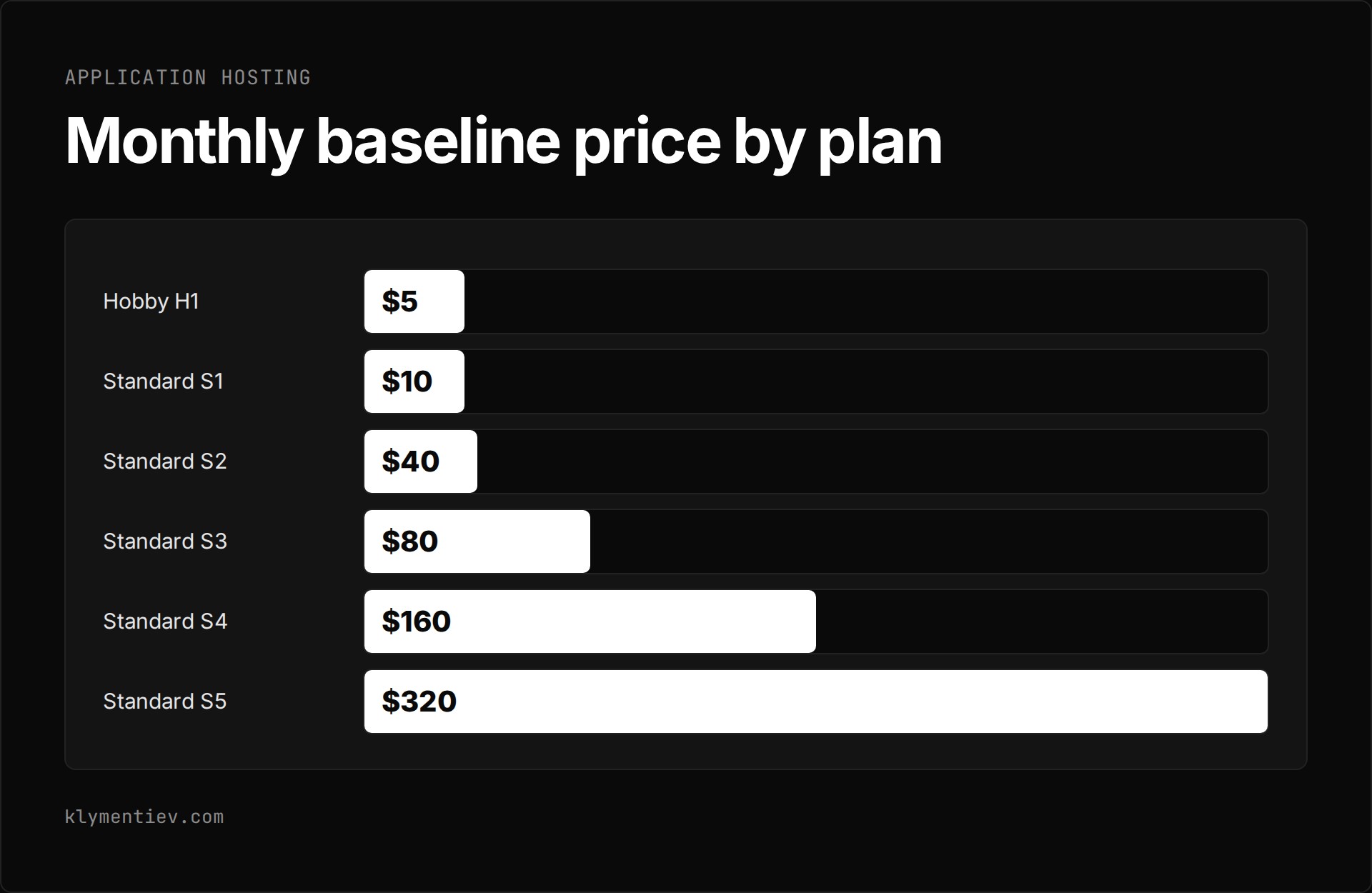
The platform organizes application hosting into four distinct hardware profiles: Hobby, Standard, Memory Optimized, and CPU Optimized. The table below lists the available configurations and baseline monthly costs.
| Plan | vCPU | RAM (GB) | Monthly Price |
|---|---|---|---|
| Hobby H1 | 0.3 | 0.3 | $5 |
| Standard S1 | 0.5 | 1.0 | $10 |
| Standard S2 | 1.0 | 2.0 | $40 |
| Standard S3 | 2.0 | 4.0 | $80 |
| Standard S4 | 4.0 | 8.0 | $160 |
| Standard S5 | 8.0 | 16.0 | $320 |
| Memory M1 | 0.5 | 2.0 | $20 |
| Memory M2 | 1.0 | 4.0 | $70 |
| Memory M3 | 2.0 | 8.0 | $135 |
| Memory M4 | 4.0 | 16.0 | $250 |
| Memory M5 | 8.0 | 32.0 | $480 |
| CPU C1 | 1.0 | 1.0 | $18 |
| CPU C2 | 2.0 | 2.0 | $68 |
| CPU C3 | 4.0 | 4.0 | $135 |
| CPU C4 | 8.0 | 8.0 | $270 |
The Hobby H1 tier has one limitation that matters: a web process running on an H1 instance cannot have a custom domain. If you intend to run a public web application on your own domain, the real pricing floor begins at the Standard S1 tier at $10 per month.
Beyond base compute instances, application workloads accumulate auxiliary costs:
- Build duration: $0.02 per minute of build time, billed to the second
- Outbound network egress: $0.10 per GB (incoming traffic and internal network routing between services are free)
- Persistent storage disks: $0.30 per GB per month, available in sizes from 10 GB to 1,000 GB
- Load balancer: $40 per month per load balancer plus $0.10 per GB of traffic processed
Deployments support several compilation strategies. By default, the system uses Ingot. It also supports Railpack, Buildpacks, or your own Dockerfile. Nixpacks is supported but marked as deprecated for new applications. You can initiate deployments directly from GitHub, GitLab, Bitbucket, any publicly accessible Git URL, or an existing container image hosted in a Docker registry.
Dynamic runtimes operate inside container pods subject to strict operational limits. Cloudflare sits in front of applications and waits up to 185 seconds for an answer.
For horizontal scaling, the dashboard permits scaling between 0 and 20 instances, while the programmatic API permits scaling up to 50 instances. Each instance provides up to 20 GB of local ephemeral disk space. This ephemeral storage is wiped clean every time the container restarts, crashes, or redeploys. Hibernation pauses runtime pods to cut cost.
What databases and object storage cost
Sevalla provides managed database instances across five open-source database engines: PostgreSQL, MariaDB, MySQL, Redis, and Valkey. The pricing FAQ says "all databases at Sevalla are hosted in their own container", and a disk resize causes no downtime.
Database traffic is not billed: neither internal connections from your applications nor external connections.
Automated backups run daily with a seven-day retention window. Administrators can also trigger up to five manual on-demand backups, which the platform retains for up to 14 days. Unlike application endpoints, external database connections do not route through Cloudflare edge proxies.
For readers weighing database options, check my serverless Postgres guide. The table below lists the primary managed database tiers available on the platform.
| Database Tier | CPU Cores | RAM (GB) | Storage (GB) | Monthly Price |
|---|---|---|---|---|
| DB1 | 0.25 | 0.25 | 1 | $5 |
| DB2 | 0.50 | 2.00 | 5 | $34 |
| DB3 | 1.00 | 4.00 | 10 | $65 |
| DB4 | 2.00 | 8.00 | 20 | $145 |
| DB5 | 4.00 | 16.00 | 40 | $310 |
| DB6 | 8.00 | 32.00 | 60 | $800 |
High-capacity tiers scale further for larger enterprise workloads:
- DB7: $1,200 per month
- DB8: $1,850 per month
- DB9: $3,250 per month
For media, documents, and static user uploads, the platform includes an object storage service powered by Cloudflare R2. It uses an S3-compatible API, so the usual S3 tools and libraries work with it.
Object storage costs $0.02 per GB per month with zero egress fees and no charge for operations (reads, writes and lists). There is no free allowance for object storage; every gigabyte stored accrues charges immediately. Account defaults allow up to 20 storage buckets per company.
A bucket takes one of six location hints:
wnam: Western North Americaenam: Eastern North Americaweur: Western Europeeeur: Eastern Europeapac: Asia-Pacificoc: Oceania
The docs say plainly that a location hint "isn't a data residency guarantee".
Worked examples
Understanding sevalla pricing requires looking at realistic combinations of compute, build cycles, and transfer consumption. The arithmetic below models four common workload scenarios based on the documented pricing rules.
Scenario 1: A static site exceeding the bandwidth allowance
Consider a high-traffic documentation portal or open-source distribution site hosted on the free tier. The site compiles under the 600-minute build cap, but it distributes 180 GB of static files and images over the course of a 30-day month.
Total bandwidth consumed:         180 GB
Free tier allowance:            - 100 GB
Billed bandwidth overage:          80 GB

80 GB x $0.10 per GB = $8.00
The site remains fully accessible throughout the overage period without service throttling. At the end of the billing cycle, the invoice totals exactly $8.00 for the extra 80 GB of transfer.
Scenario 2: High-frequency static deployment pipeline
Consider an active documentation project or multi-author blog deploying continuous updates. The site consumes 45 GB of bandwidth, remaining safely inside the 100 GB limit. However, the engineering team pushes code frequently, averaging 200 production deployments per month. Each compilation takes four minutes on the builder.
Total build volume:               200 deployments x 4 minutes = 800 minutes
Free tier allowance:            - 600 minutes
Billed build overage:             200 minutes

200 minutes x $0.05 per minute = $10.00
Because overages are metered by the second, precise billing aligns with exact build durations. In this scenario, the extra 200 minutes generate an overage invoice of $10.00.
Scenario 3: Minimum full-stack application on a custom domain
A developer deploys a small full-stack web service consisting of a server-rendered web application, a persistent relational database, and custom domain routing.
Because the Hobby H1 plan ($5 per month) prohibits custom domain attachments on web processes, the minimum production compute tier is Standard S1 ($10 per month). Adding a minimal PostgreSQL DB1 instance ($5 per month) supplies the database layer. Over the billing period, the web service transmits 20 GB of public outbound egress.
Base compute (Standard S1):       $10.00
Database tier (PostgreSQL DB1):   $ 5.00
Outbound bandwidth (20 GB x $0.10): $ 2.00
-----------------------------------------
Total monthly operating cost:     $17.00
During the initial month of service, the new account applies its $20 registration credit. Because the credit is valid for one month only, it fully absorbs the $17.00 bill. The remaining $3.00 credit balance expires at the end of the month. Starting in month two, the account pays $17.00 per month.
Scenario 4: Ephemeral test application run by the hour
A developer deploys a Standard S1 container instance to execute an integration test suite or review a feature branch. The application runs for exactly 10 hours before the developer destroys the container.
Monthly baseline price:           $10.00
Hourly calculation:               $10.00 / 730 hours = $0.0137 per hour
Total run duration:               10 hours

10 hours x $0.0137 = $0.137
Billing rounding yields a total charge of approximately $0.14 for the testing session.
What are the catches?
Every hosting service operates with engineering trade-offs and business restrictions that dictate where it can and cannot be used effectively. A close inspection of the documentation reveals several constraints:
"Human support is for companies with an active paid service, in English, Monday to Friday, 08:00 to 17:00 UTC."
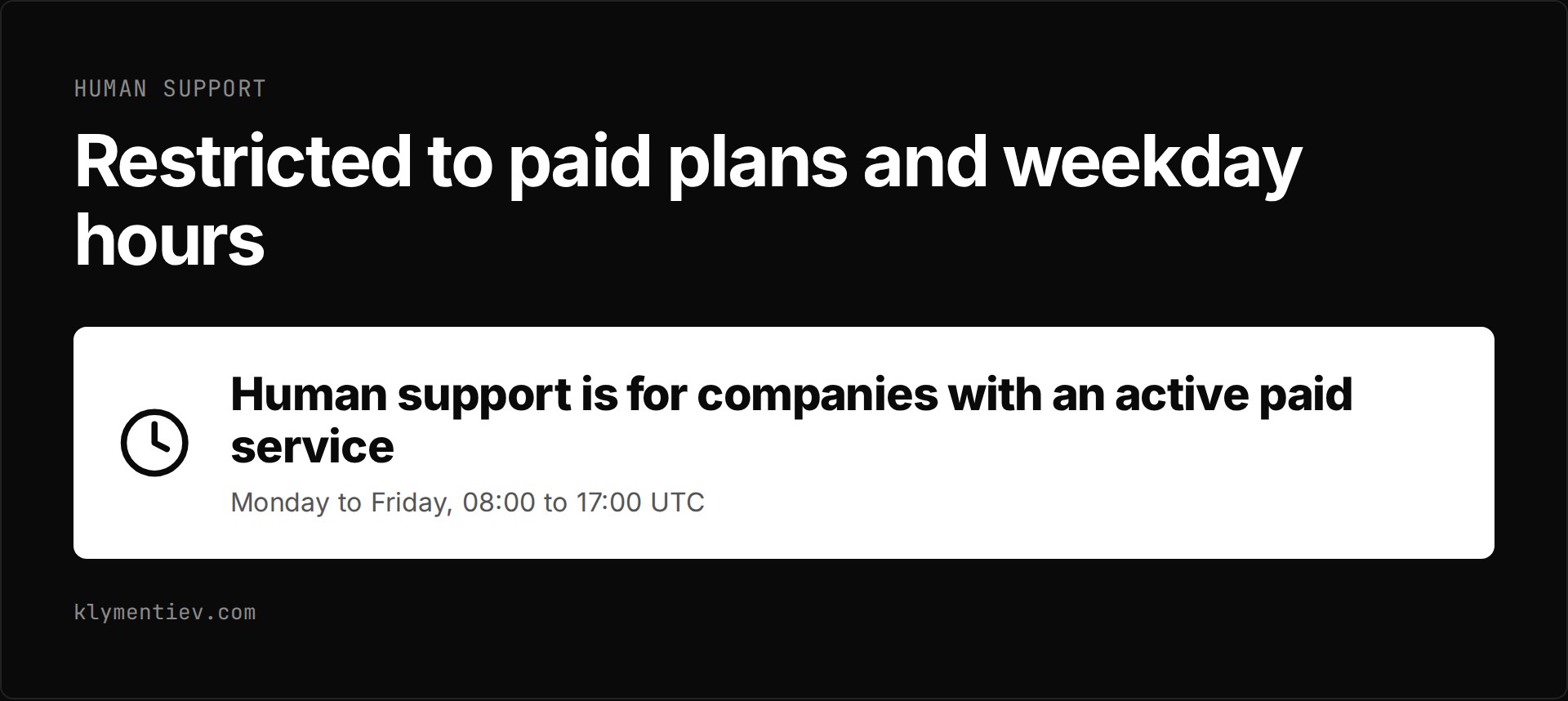
If you run free static sites without active paid resources, you do not have access to human technical support engineers. When opening a support inquiry inside the management dashboard, unpaid accounts interact solely with Stella, the automated AI assistant. If an edge deployment misbehaves or a DNS routing edge case occurs on an unpaid account, no human engineer will troubleshoot the issue.
A payment card on file is required at account level. The pricing FAQ says so for every account, and the static pages list no exception, so plan on adding a card even if you never leave the free allowance. The platform accepts Visa, Mastercard, Discover, and American Express. It does not accept PayPal or checks.
The Hobby H1 instance tier ($5 per month) has a restriction that is easy to miss: its web process cannot be assigned a custom domain. If your production site requires its own branding and SSL domain, your compute floor doubles to the S1 plan at $10 per month.
Static site compilations do not execute globally. Regardless of where your team sits or where your target audience lives, Sevalla executes all static builds within Oracle Cloud's US East data center in Ashburn, Virginia. The finished files are then served from Cloudflare's edge, so this affects where your build runs, not where visitors are served from.
Database networking behaves differently than web traffic. Public connections to databases bypass Cloudflare DDoS protection layers entirely. The layer 3, 4, and 7 unmetered DDoS mitigation provided by Cloudflare guards your static sites and application HTTP endpoints, but external connections to managed databases do not go through Cloudflare.
A strict routing restriction governs custom domains: a custom domain can be assigned to one service only across all of Sevalla. You cannot bind the same root apex domain or subdomain simultaneously across multiple application environments or static sites.
Finally, geographic availability figures conflict between documentation and marketing copy. The marketing website advertises 25 global data center locations, but creating an account exposes exactly 20 OCI regions. The older marketing material reflects deprecated Google Cloud infrastructure that is no longer provisioned for new client accounts.
Where does Sevalla fail to help? The platform offers no zero-dollar utility backend. If you are seeking a free container environment to host an API, a free MySQL database, or an unpaid Redis caching instance, Sevalla does not provide them. Its zero-dollar tier covers static frontend assets exclusively. Attempting to force dynamic backends onto this platform requires an active credit card and a willingness to pay minimum container and database rates of $15 per month.
How to put a static site on Sevalla
Deploying a frontend application to the platform follows a structured sequence. Based entirely on the documented deployment workflow, you can ship a static site using the following process:
- Authorize source control: From the platform dashboard, connect your account to GitHub, GitLab, or Bitbucket. Select the repository and the target production branch that contains your site code.
- Configure project parameters: Sevalla analyzes the repository and applies automated detection rules for frameworks such as Next.js, Nuxt, Gatsby, or Vite. If you are using a different static generator, input your specific build command and designated output publish directory (such as
dist,build, orpublic). - Execute the initial deployment: Trigger the build pipeline. The build runs in Ashburn on a machine with 4 vCPUs and 8 GB of memory, which installs dependencies, runs the build, and pushes the compiled directory to Cloudflare R2 storage.
- Add a custom domain: Add your domain to the site and point its DNS where Sevalla tells you. Custom domains on static sites get free SSL certificates. A domain can be on one service only, across all of Sevalla.
- Use pull request previews: Open a pull request and Sevalla creates a live preview of it. Previews are deleted 30 days after they finish, and their builds and traffic count against the shared allowance.
Who Sevalla suits and who it does not
Sevalla occupies a specific operational niche between basic static site hosts and hyper-scale cloud vendors. Deciding whether to adopt the platform depends on your architectural requirements, existing technical skills, and monthly infrastructure budget.
The platform suits:
- Static websites, blogs, and documentation hubs: Teams running static documentation generators or content-focused websites receive an outstanding zero-dollar tier. The combination of 100 GB bandwidth, 600 build minutes, automated pull request previews, and edge caching makes it competitive for pure frontend delivery.
- Small production applications needing straightforward pricing: For software products requiring an isolated container and a dependable relational database, Sevalla delivers predictable billing. An S1 instance paired with a DB1 database gives you an app on your own domain, daily database backups and unbilled database traffic for about $15 to $17 per month.
- Agencies and freelancers managing multiple static sites: A single company account can host up to 100 static sites under the shared 100 GB bandwidth allowance, making it economical to consolidate client landing pages under one administrative dashboard.
The platform does not suit:
- Zero-budget dynamic hobby projects: Developers who expect free full-stack hosting will be disappointed. You cannot deploy web services or databases without incurring immediate per-second usage fees once the one-month $20 credit expires.
- Budget applications needing custom domains under $10: Because the $5 Hobby H1 plan forbids custom domain binding on web processes, users wanting to host simple dynamic apps on their own domain must pay for the $10 Standard S1 plan.
- Teams requiring around-the-clock free support: If your operation requires human technical support on a free account, the strict restriction of human support to paid plans during weekday business hours (08:00 to 17:00 UTC) makes the free tier unsuitable for mission-critical unpaid workloads.
Frequently asked questions
Does Sevalla offer a permanent free database tier?
No. Sevalla does not provide a free database tier. All database instances, including PostgreSQL, MySQL, MariaDB, Redis, and Valkey, are paid services billed by the second. The lowest-priced database option is DB1, which costs $5 per month for 0.25 vCPU, 0.25 GB of RAM, and 1 GB of storage. New accounts can apply the one-time $20 registration credit toward database resources, but that credit expires after your first month.
Can you deploy custom Docker containers on Sevalla?
Yes. Applications can deploy using custom Dockerfiles, prebuilt Docker images from container registries, or the build strategies Ingot (the default), Railpack and Buildpacks. If you deploy a Dockerfile, the container runs within OCI infrastructure and receives up to 20 GB of local ephemeral disk space. Any data written directly to that local container disk is destroyed whenever the container restarts, stops, or redeploys, requiring persistent disks ($0.30 per GB per month) for stateful storage.
What happens when a static site exceeds the monthly free allowance?
Production static sites do not shut down or suffer artificial bandwidth throttling when they exceed the free resource limits. If your static sites consume more than 100 GB of bandwidth, the account is billed $0.10 per additional gigabyte. If your builds consume more than 600 build minutes, extra build time is billed at $0.05 per minute, calculated to the exact second. Incurred overage charges appear on your monthly postpaid invoice.
Are pull request preview environments completely free?
Pull request preview environments are included with static site hosting, but they consume resources from your shared monthly pools. The build duration required to compile a preview branch subtracts minutes from your 600-minute build pool, and visits to the preview URL consume bandwidth from your 100 GB allowance. Preview environments are deleted 30 days after they finish.
Sevalla provides a practical split between free static hosting and metered container infrastructure. If you need global edge delivery for frontend assets, its shared monthly allowance offers substantial capacity without subscription fees. For dynamic backends and managed databases, the platform delivers clean per-second billing on OCI, provided you budget for the necessary instance tiers and register a card upfront.
