Lukas / Voice companion for an older adult
What do you have to install?
Nothing, on her side. You create a family in the caregiver panel, generate a one-time setup link, and send it to her the way you already send her things. She opens it once on the phone she already owns, and from then on the page is one button in the middle of the screen. No app store, no tablet or speaker to buy, no account for her to create, no password for her to remember. This is the part most options in this category get wrong for someone who cannot read a screen, and it is the main reason Lukas exists in this shape.
What does she do to start a conversation?
She presses the button and talks. It is the only control on the page: no menu to find by sight, no list to scroll, nothing to read. She can be completely blind, she can have never used anything on a smartphone beyond answering a call, and it still works, because using it needs no screen literacy at all.
Here is how it works
Which language does she speak, and can it translate?
Her own, and you pick it when you set her up. Lukas keeps to that language and does not drift back into English. It also understands what she asks for in her language, so telling it to repeat something, to list or delete her conversations, to sign her out, or to start interpreting all work in the language she actually speaks. And it interprets on request: she asks it to translate between her language and another one, then simply talks. That makes it an ai voice translator in a doctor's waiting room, at a pharmacy counter, or anywhere nobody behind the desk speaks her language.
How do you and she exchange messages?
Messages go both ways, and neither of you has to be free at the same time. You type a message in the panel and she hears it at the start of her next conversation, with your name on it. Or you skip the panel entirely and talk to Lukas yourself: say who the message is for, and it carries it. She sends in the other direction just as easily, asking it to tell you something or to ask you to call her.
What does it remember about her?
A handful of plain facts, not a recording of everything she has said. If she mentions a sore knee, it comes back to that once on the next call and then lets it go. If she has a condition she lives with, it holds that as context and stops asking about it. Preferences are simply applied without being discussed again. She can ask to hear everything it keeps, sorted into what it learned about her, her reminders, its own notes and messages waiting for her, and she can remove any of it.
Can she ask it to remind her of something?
Yes, and she can change or cancel it later just by saying so. A reminder is mentioned once at the start of a conversation and never repeated in the same one, so it stays a help rather than nagging. It waits for her next conversation, because she is always the one who starts one.
Will it call her, or interrupt her?
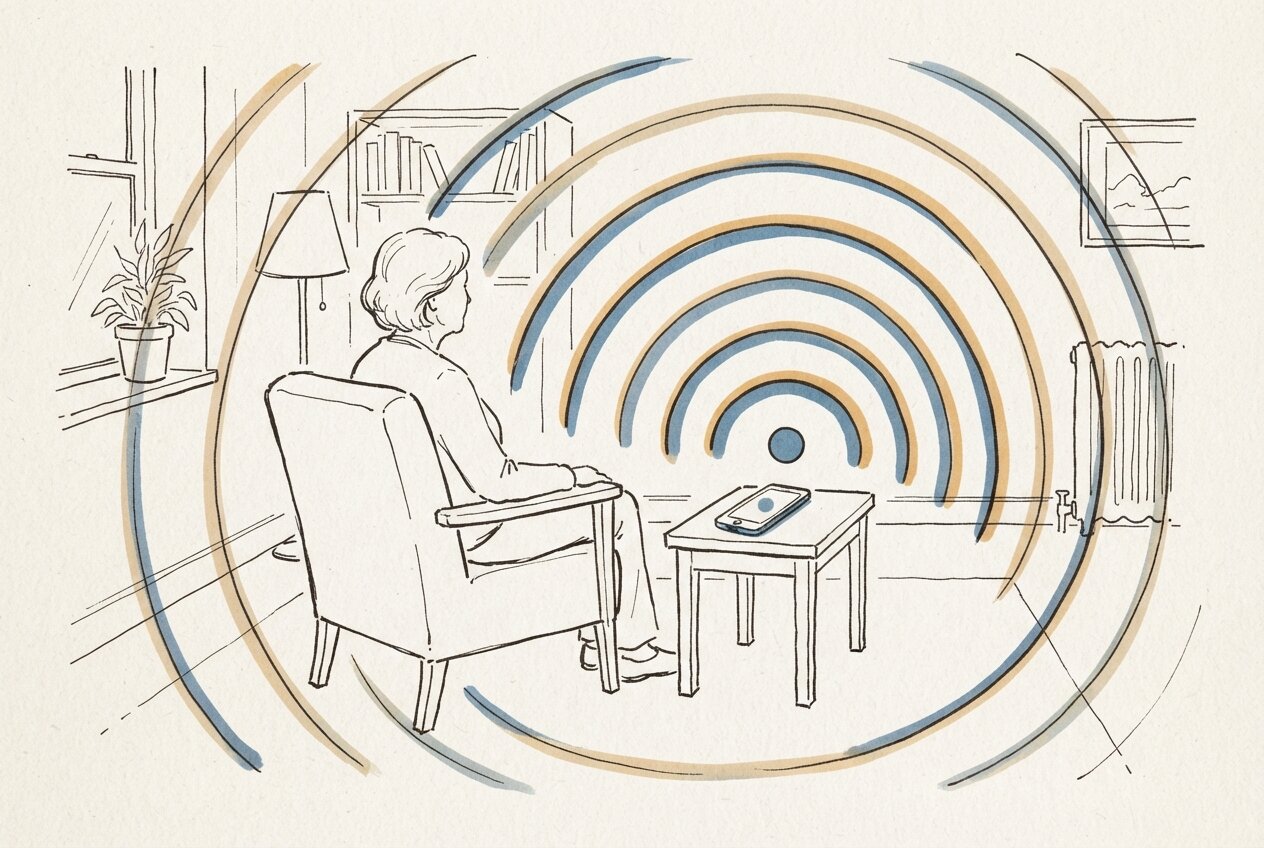
No. Every conversation begins with her pressing the button: no phone number, no dialling out, no scheduled calls. Nothing listens between conversations, there is no wearable, and no camera watches the room. Her day stays her own, and your messages wait until she picks the phone up.
Can she delete a conversation herself?
Yes, with no help and no screen. She asks to hear her conversations and they are read out to her, numbered. She says the number as a word, and that conversation is gone from everywhere it was stored.
What do you get without doing anything?
Three things arrive by email on their own. A daily digest of how her day went, meaning what she talked about rather than a transcript. An alert if a conversation says she is in trouble right now, quoting her own words with the time on them. And a notice if a device that is not hers tries to connect as her, or if her phone connects from somewhere it never has before.
How does it decide what counts as an emergency?
Every turn of the conversation is judged, and the question is always whether something is happening to her, now. Someone else's heart attack is not an alert. An illness from last year that is over is not an alert. A figure of speech like "my heart is breaking" is not a cardiac event. Sadness and loneliness do not raise an alert either, because a family alerted every time she feels low stops reading alerts and misses the one that matters. When it does fire, you are alerted automatically, and Lukas stops the ordinary conversation and tells her, in her language, to call emergency services or get someone nearby to help.
Can you look after more than one person?
Yes. One caregiver account holds several people, each with their own conversations, their own memory and their own phone, and each of them talks to Lukas separately. When you send a message for one of them you name the person, and it goes to that person.
What can it see through the phone camera?
She says "look", aims the phone, and hears what is written. A price on a shelf, an expiry date, a label on a jar: the moments in a shop when her magnifier is in a drawer at home.
Does she get a say in any of this?
She is told out loud what happens with what she says, and asked whether that is alright before anything proceeds: that it remembers her conversations, that short updates go to her family, that her family can read what was said, that recordings are kept about a month and then erased, and that it will get help in an emergency. Access, alerts and deletion are decided by the system rather than by anything said out loud, so her conversations stay hers even when somebody else is holding the phone.
What does Lukas deliberately not do?
It is not a doctor, and it says so out loud: no diagnosis, and it will not explain a medical term, it points her at her doctor or offers to ask her family. No internet lookups, no news, no weather. It cannot place a phone call. It is not a monitoring system: no location tracking, no wearable, nothing listening between conversations. And it will not become the only one she talks to. When she has news someone would enjoy, the first thing it suggests is that she tell them herself.
If you are going to run it yourself
Lukas is an open source ai assistant you host, not a service you sign up for. Apache-2.0, one docker compose, and each family's data lives in its own file on your machine, so exporting a family is one command and erasing one is deleting a file. Recognition, the voice and the camera understanding come from the Gemini Live API, which makes it a self hosted ai assistant in the parts that hold the data rather than a fully local one, and the only thing it costs to run is that model usage. If you have been looking for an open source alexa alternative pointed at a person rather than at a smart home, this is a different shape of the same wish. The stack is Python and FastAPI, SQLite per family, Docker, and the Gemini Live API for speech, which is the same trade-off I worked through when choosing between Claude, GPT and Gemini. The memory design came out of the thinking in semantic memory for AI assistants; the searchable version of that idea is Mesh, and the pattern for hosting your own services is Smart Node.
FAQ
What is the best AI companion for elderly people?
It depends on whether the person can use a screen and whether you want another device in the room: a purpose-built companion robot arrives as hardware, sits on a table and is easier to set up, while Lukas is software on the phone she already carries, speaks her language by default, works for someone with no sight and has no per-seat licence.
How can a 70 year old use AI without learning an app?
By pressing one button and talking. There is nothing to learn, nothing to install, no account and no password: a family member sets it up once and sends a link, and after she opens it the page is a single button that starts a conversation in her own language.
Does she need to install anything or buy a device?
No. It runs in the browser on the phone she already owns, so there is no app to download, no speaker or tablet to buy, and no new number to remember.
Can it translate for her in real time?
Yes. She asks it to interpret between her language and another one and then just speaks, which makes it a real time voice translator app for a doctor's appointment, a counter, or a conversation with someone who does not share her language.
Does it work for someone who is blind or low-vision?
Yes, and that is who it was built for first. It is a voice assistant for blind people in the literal sense: one control, no menus, no visual prompts, and every ability it has it will name out loud when she asks what it can do.
Is there a free AI companion?
Lukas is free software rather than a free service: the source is public under Apache-2.0 and anyone can run it. What running it costs is the voice model usage underneath, paid to the model provider directly.
What happens if she says something alarming?
The family is alerted automatically, with her words and the time attached, and the conversation changes at once: Lukas drops the ordinary chat and tells her in her language to call emergency services or get someone nearby. Because the judgement is made fresh on every turn, an emergency that gets said again is caught again.
What does the family actually see?
A panel with her conversations, a daily digest by email, and alerts when they matter. Nothing else is gathered: no location, no wearable data, nothing recorded between her conversations.
Who is Lukas not for?
Anyone who needs a telephone service, a medical device or a smart-home assistant: there is no number to call, it does not diagnose anything, and it does not control lights, thermostats or music. It is for families where one person is happy to set it up once.