Knowster / AI Support Chat
What it does
Knowster is an AI chat widget for websites that turns your existing content into a 24/7 knowledge base chat. Imagine a visitor lands on your site at 2 AM with a question about your services. Nobody is online to answer. They leave. That question was a potential sale, and it disappeared because your FAQ page did not cover it and your contact form feels like shouting into a void. A RAG chatbot built from your own pages changes that.
Knowster turns your entire website into a knowledge base and puts an AI chat widget on your pages. The visitor types their question, and the AI answers using the actual content from your site. Not generic chatbot responses, not pre-written scripts. Real answers grounded in what your pages actually say.
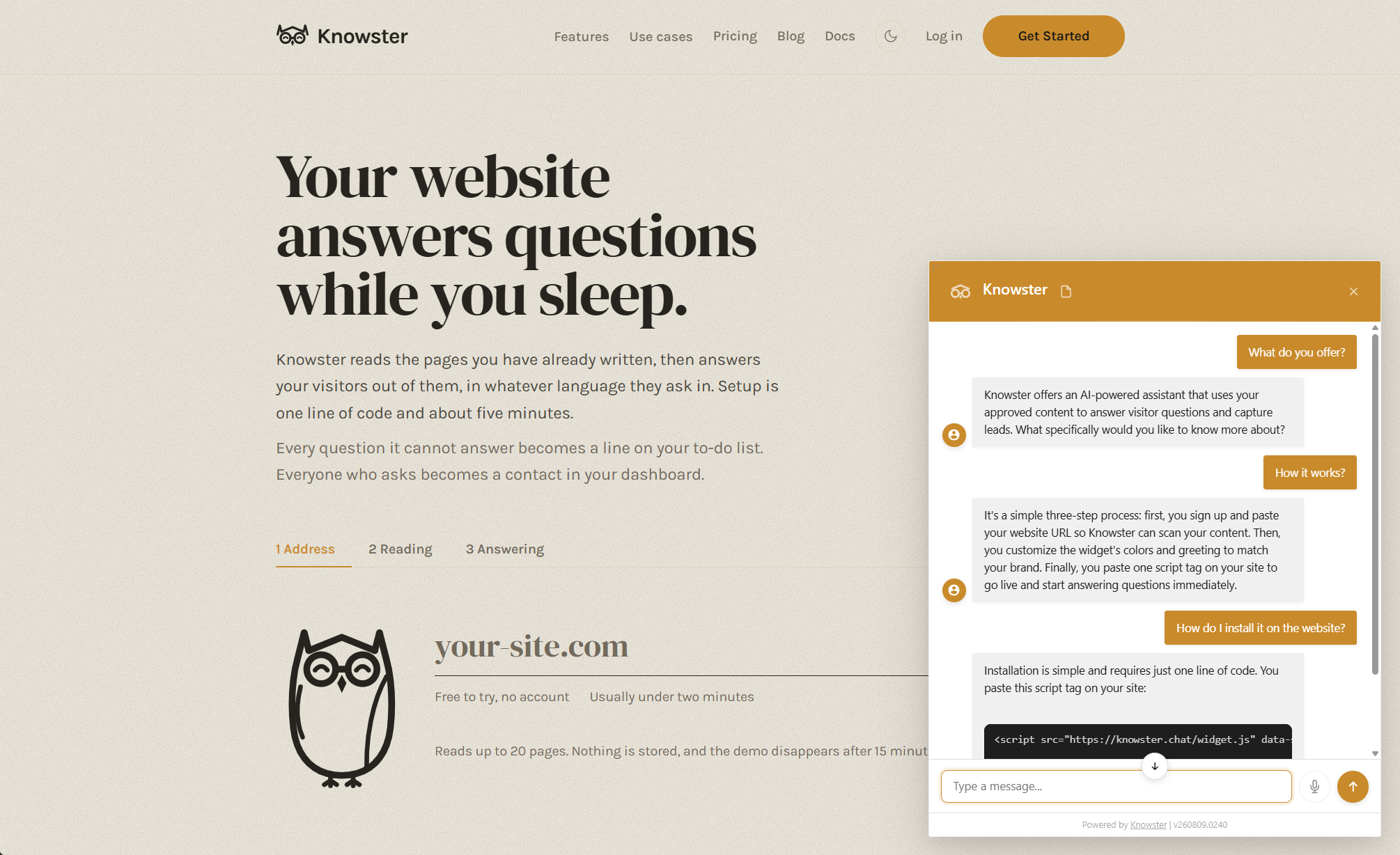
Setup takes under 5 minutes. You enter your website URL in the Knowster dashboard. The scraper reads every page, breaks the content into chunks, generates semantic embeddings, and compiles everything into a knowledge pack. Then you paste one line of JavaScript into your site. Done. The widget appears and starts answering questions in whatever language your visitor speaks.
If the visitor asks something that your content does not cover, the bot says it does not know instead of making things up. A post-validation step checks every answer against the actual retrieved content. And if the visitor wants to go further, the widget can capture their email so you can follow up, with the full conversation context attached.
Results & Impact
Currently in beta with a self-service dashboard, automated scraping pipeline, and embeddable widget. The system powers the chat widget on klymentiev.com itself, answering questions about projects and blog posts from the site's own content.
Full SaaS architecture: multi-tenant with per-site knowledge bases, user authentication with passwordless OTP, plan-based limits, lead capture with CSV export and Google Sheets integration, analytics, and conversation history.
The entire knowledge pipeline, from URL to answering questions, runs without manual content entry. Enter a URL, wait for the scraper, embed the widget. No training, no data formatting, no AI expertise required.
Numbers
- Less than 5 min setup time
- 24/7 availability
- Any language supported
- 1 line of code to embed
Key features
- Automatic knowledge building. enter a URL. The scraper reads every page, chunks content, generates ONNX embeddings, and compiles a .kpak knowledge pack. No manual content upload.
- RAG with validation. semantic search finds relevant content chunks. The LLM generates an answer from those chunks only. A validation pass confirms the answer is grounded in actual content, not fabricated.
- One-line embed. one script tag. Fully customizable: colors, fonts, position, greeting message, branding. Matches your site design. Auto-versioned to avoid caching issues.
- Lead capture. collect visitor emails during conversation. See what they asked about. Export leads to CSV or push to Google Sheets automatically. Conversation context included.
- Any language. works in whatever language your site is written in. Visitors can ask in one language and get answers from content in another. No language configuration needed.
- Self-service dashboard. register, add your site, configure the widget, view leads, check analytics, browse conversation history. Passwordless login with email OTP. Full SaaS experience.
- Streaming responses. answers stream in real-time via Server-Sent Events. The visitor sees the response being typed, not a loading spinner followed by a wall of text.
- Intent classification. detects greetings, small talk, contact requests, and actual questions. Handles each appropriately instead of sending every message through the full RAG pipeline.
How it works
The pipeline has three stages: scrape, compile, chat.
Scrape: A background worker fetches every page from your site, extracts text content (stripping navigation, footers, boilerplate), and stores the raw pages.
Compile: Pages are chunked into semantic segments. Each chunk gets an embedding vector generated by an ONNX model running locally (no external API call for embeddings). Chunks and vectors are packed into a .kpak file, a self-contained knowledge base for one site.
Chat: When a visitor sends a message, the system classifies intent (greeting, question, contact request), then for questions: embed the query, find the top matching chunks via cosine similarity, send them as context to the LLM (Gemini Flash via OpenRouter), stream the response, and run a validation pass to confirm the answer is grounded in the retrieved content.
Stack: Python, FastAPI, ONNX Runtime (local embeddings), SQLite (dashboard, jobs, analytics), OpenRouter API (LLM). Docker deployment. No external vector database, embeddings are stored in the .kpak file and loaded into memory.
Quick Start
For site owners, no technical setup required:
<!-- 1. Sign up at knowster.chat -->
<!-- 2. Enter your website URL -->
<!-- 3. Wait for scraping to complete (~2-5 minutes) -->
<!-- 4. Paste this into your HTML: -->

<script src="https://knowster.chat/widget.js"
  data-site="YOUR_SITE_ID"
  data-key="YOUR_API_KEY">
</script>

<!-- That's it. Widget appears on your site. -->
Use Cases
For small business websites. Answer customer questions when you are not online. Your website has the answers. Business hours, pricing, service areas, process details. Knowster turns those pages into a 24/7 assistant that handles the questions your FAQ page was supposed to answer but visitors never find.
For SaaS landing pages. Convert visitors who have questions before signing up. A visitor reads your features page but has a specific question. Instead of bouncing to search for alternatives, they ask the widget. The answer comes from your own content, framed the way you wrote it. Question answered, signup more likely.
For content-heavy sites. Make 100+ articles searchable by conversation. A blog with hundreds of posts has useful answers buried in old articles. Knowster indexes everything and surfaces the right content when a visitor asks a question. Like site search, but the visitor gets a direct answer instead of a list of links.
Lessons Learned
Local embeddings change the economics. Running ONNX embeddings locally instead of calling an external API means the most expensive part of the pipeline, generating vectors for every content chunk, costs zero per query. This makes the unit economics viable even at small scale. The LLM call is the only per-conversation cost, and Flash-tier models keep that low.
Validation is not optional for RAG. Without the post-validation step, the LLM occasionally generates plausible-sounding answers that are not actually in the source content. For a business chat widget, one confidently wrong answer about pricing or availability can do more damage than saying "I don't know." The validation pass adds latency but removes the worst failure mode.
The .kpak format was the right abstraction. Packaging each site's knowledge as a single file (chunks + embeddings + metadata) makes the system simple to reason about. Loading a site means loading one file into memory. No vector database to manage, no distributed state. At the scale of individual website content, everything fits in RAM and search is instant.
Lessons Learned
The .kpak format was the right abstraction. Packaging each site's knowledge as a single file (chunks + embeddings + metadata) makes the system simple to reason about. Loading a site means loading one file into memory. No vector database to manage, no distributed state. At the scale of individual website content, everything fits in RAM and search is instant. One file per site, one truth per site.
Validation is not optional for RAG. Without the post-validation step, the LLM occasionally generates plausible-sounding answers that are not actually in the source content. For a business chat widget, one confidently wrong answer about pricing or availability can do more damage than saying "I don't know." The validation pass adds latency but removes the worst failure mode.
Local embeddings change the economics. Running ONNX embeddings locally instead of calling an external API means the most expensive part of the pipeline, generating vectors for every content chunk, costs zero per query. This makes the unit economics viable even for sites with very low traffic. The LLM call is the only per-conversation cost, and Flash-tier models keep that manageable.
The hardest part is not AI, it is scraping. Every website is structured differently. Some have clean semantic HTML, others are JavaScript-rendered SPAs, others have navigation and footer content mixed into the main body. Building a scraper that reliably extracts meaningful content from any site was harder than building the RAG pipeline itself. Content cleaning, boilerplate removal, and chunk quality determine answer quality more than the LLM choice.
FAQ
How does Knowster work? You enter your website URL. Knowster scrapes every page, chunks the content, generates embeddings, and compiles it into a knowledge pack. When a visitor asks a question, the system finds the most relevant chunks and sends them as context to an LLM, which generates an answer grounded in your actual content.
How long does setup take? Under 5 minutes. Enter your site URL in the dashboard, wait for the scraper to finish, then paste one line of JavaScript into your page. No training, no manual content upload.
What languages does it support? Any language your website is written in. The scraper captures content as-is, and the LLM responds in the language of the question. Multilingual content handled natively.
Does it make things up? Knowster uses RAG with a post-validation step. The LLM only has access to chunks from your actual content. If the question is outside your content scope, the bot says it does not know rather than fabricating an answer.
Can it capture leads? Yes. The widget can collect visitor email addresses during conversation. Leads are stored in the dashboard with conversation context. Export to CSV or push to Google Sheets automatically.